PRODUCT DESIGN
UX RESEARCH
MOBILE APP
2025
Overview
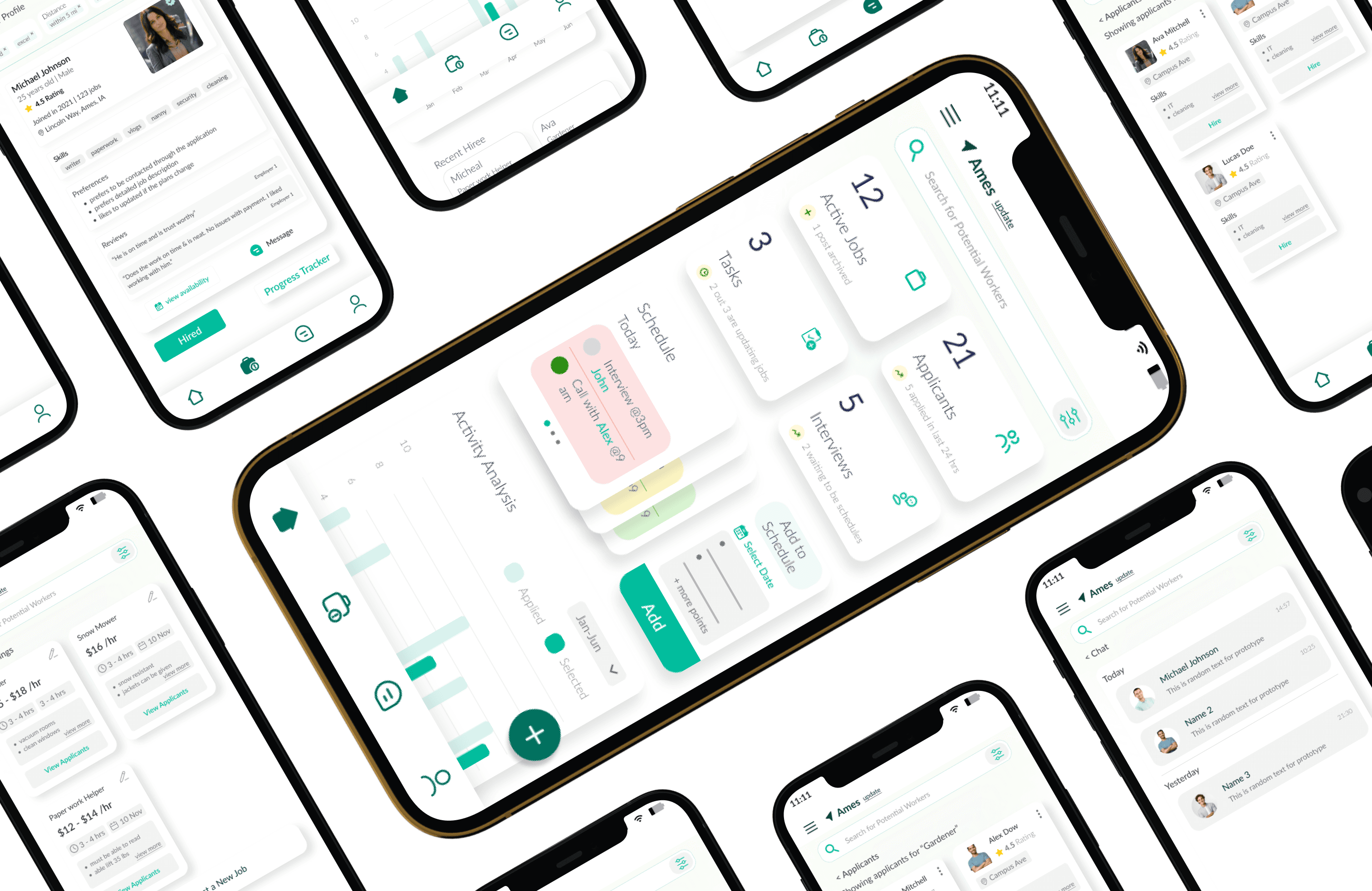
Find-e is a hyper-local gig marketplace that replaces rigid schedules with on-demand tasks, and stranger-danger with verified profiles. We designed a community-first platform where trust is the currency and proximity is the filter.
Built using the Double Diamond framework with an additional Iteration Loop; I didn't just ship a pretty interface, we validated one.
MY ROLE
UX Researcher
UI Designer
TEAM
4 Designers
TIMELINE
6 weeks
METHODS
User Interviews
Affinity mapping
Usability Testing
Hi-Fi Prototyping
UEQ Evaluation
Double Diamond
MY SPECIFIC CONTRIBUTIONS
Led the employer interview protocol, synthesized affinity maps, designed the hi-fi employer flow, and ran the UEQ/SEQ evaluation analysis for version 1 & 2 of employer user group.
PROBLEM
Platforms like TaskRabbit and Fiverr are built for scale, not locality. They leave workers commuting 45 minutes for a 20-minute task, and employers nervously letting unverified strangers into their homes. I saw an opportunity in the 2-mile radius.
🏠
Employers need trust
Letting someone into your home requires more than a star rating. Employers told us they'd pay a premium for verified, community-vouched workers but platforms gave them anonymous profiles.
📍
Workers need proximity
Students and part-time workers can't justify a 40-minute commute for a 2-hour gig.
Proximity wasn't a nice-to-have, it was the deciding factor for whether the gig was worth taking.
01 - DISCOVERY
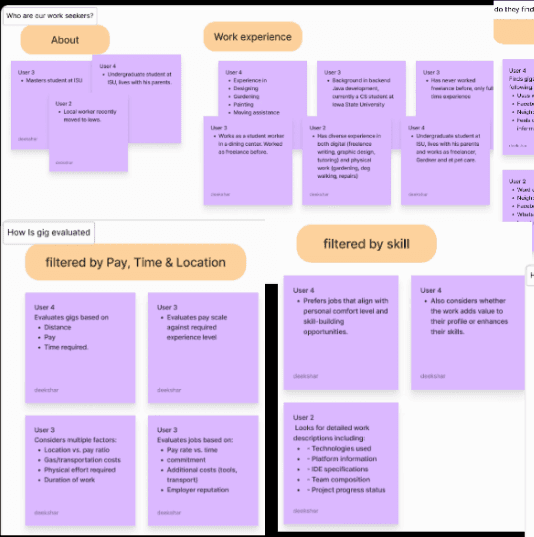
I ran separate interview protocols for workers and employers, because their jobs are fundamentally different. The goal wasn't just to find pain points; it was to understand the mental models each group brings to a gig transaction.
3 workers (students, part-time earners) and 2 employers (busy professionals, parents) gave us enough signal to map a clear tension.
Trust
Flexibility
Proximity
Anxiety
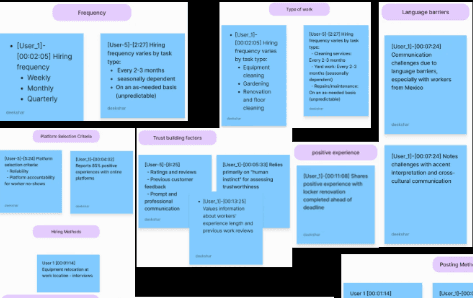
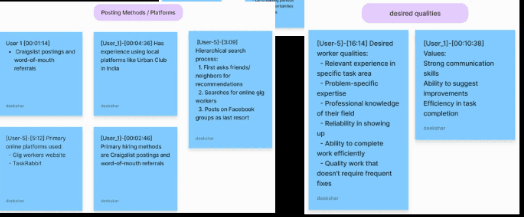
Affinity Mapping
Synthesized from interview transcripts; two separate maps for each user group.
EMPLOYEES
EMPLOYEES
Main User Groups
Two distinct user groups emerged, each with a different primary motivation and a different definition of a successful gig.
EMPLOYEES
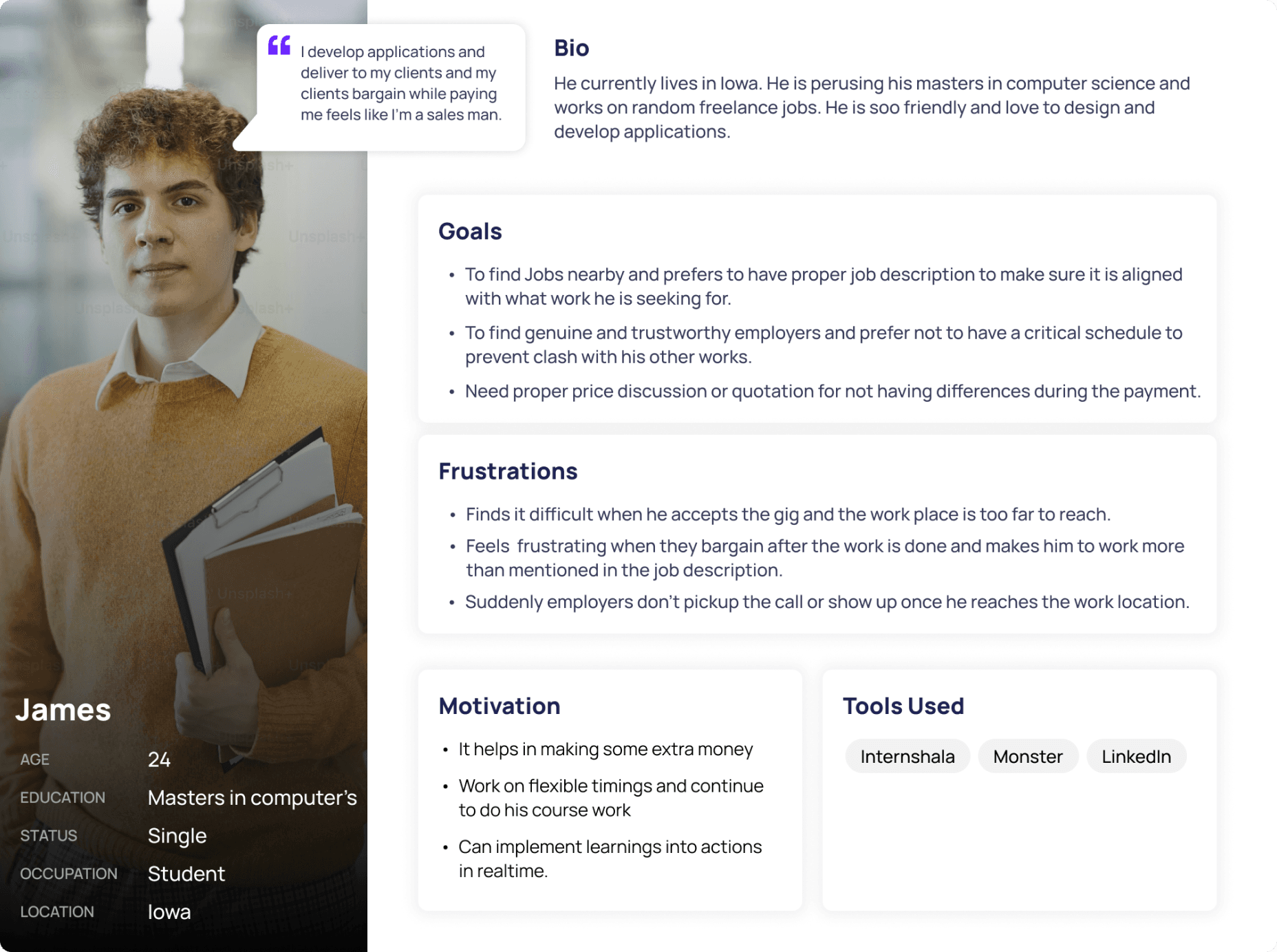
EMPLOYEES
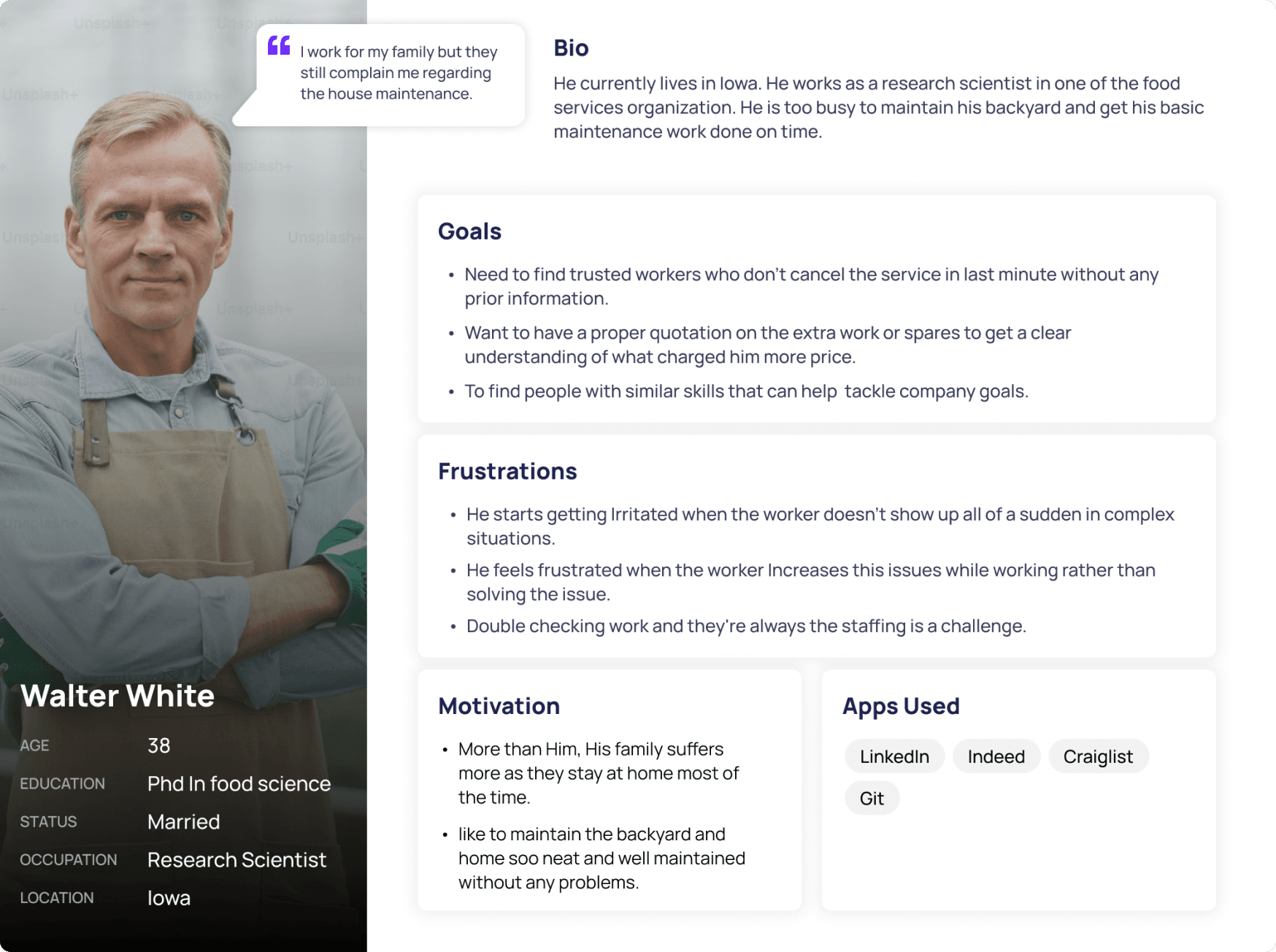
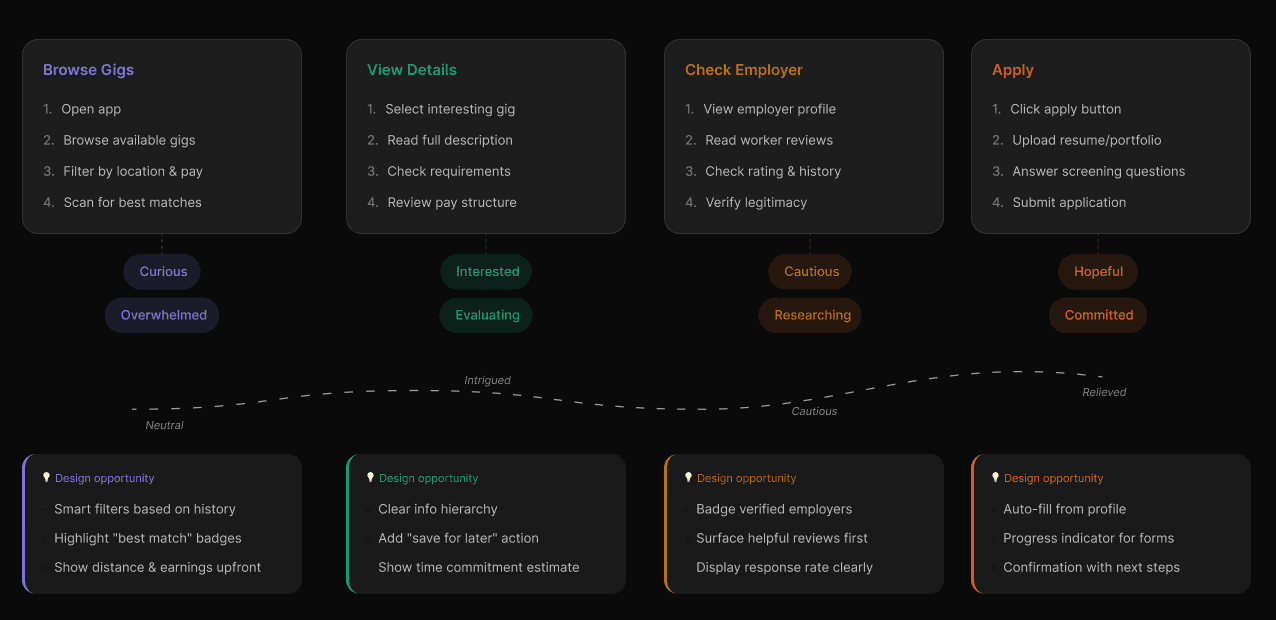
How would James use this app?
I started mapping end-to-end journeys, which revealed where friction compounded, and where a small design decision could break the whole user experience.
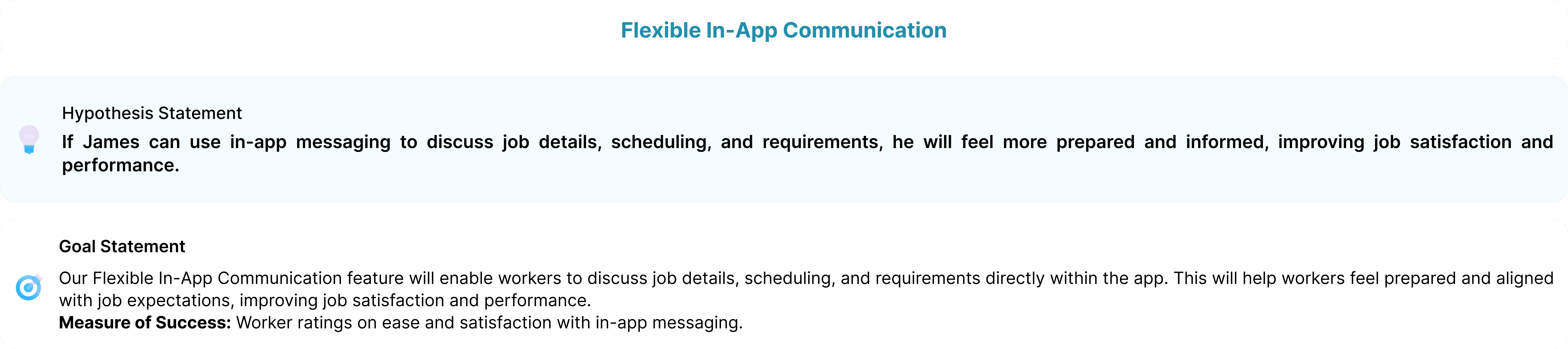
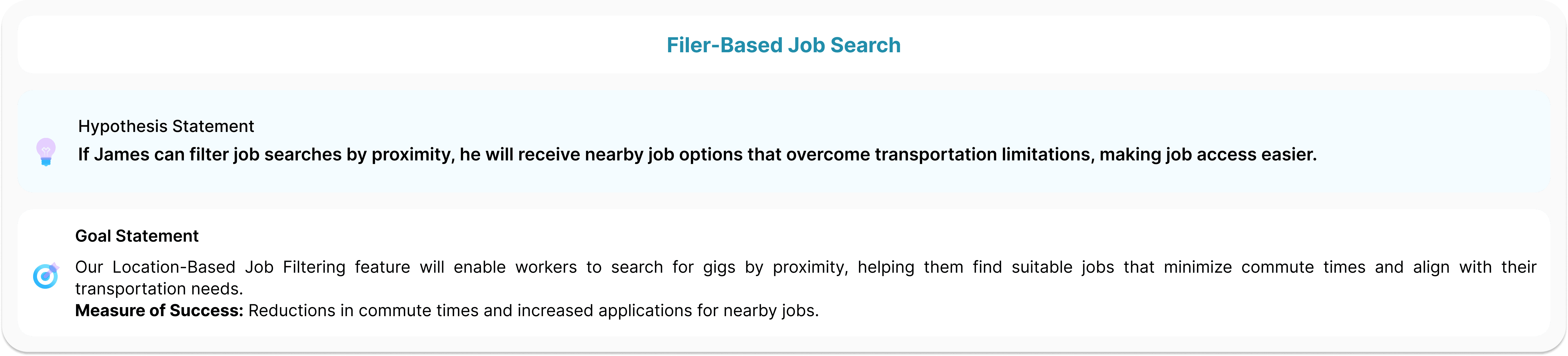
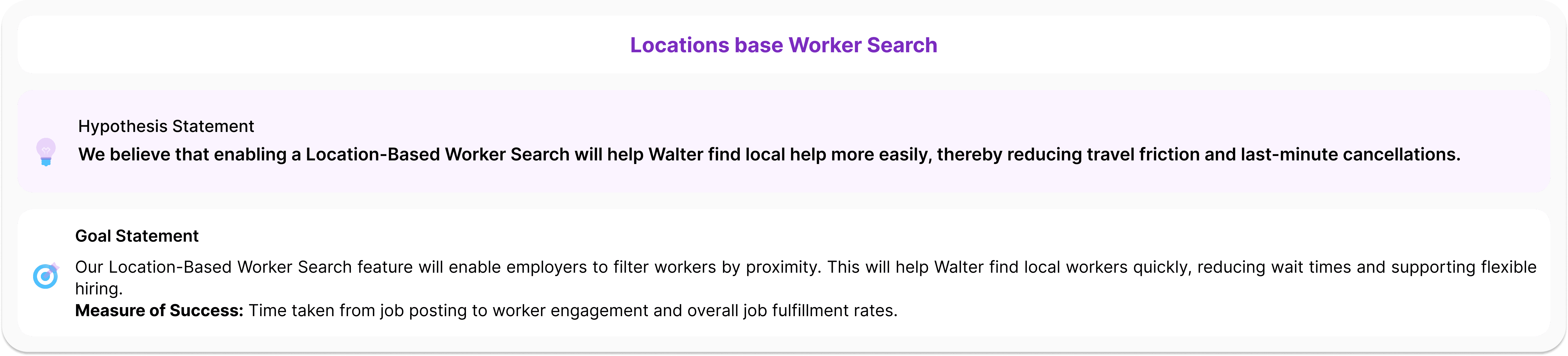
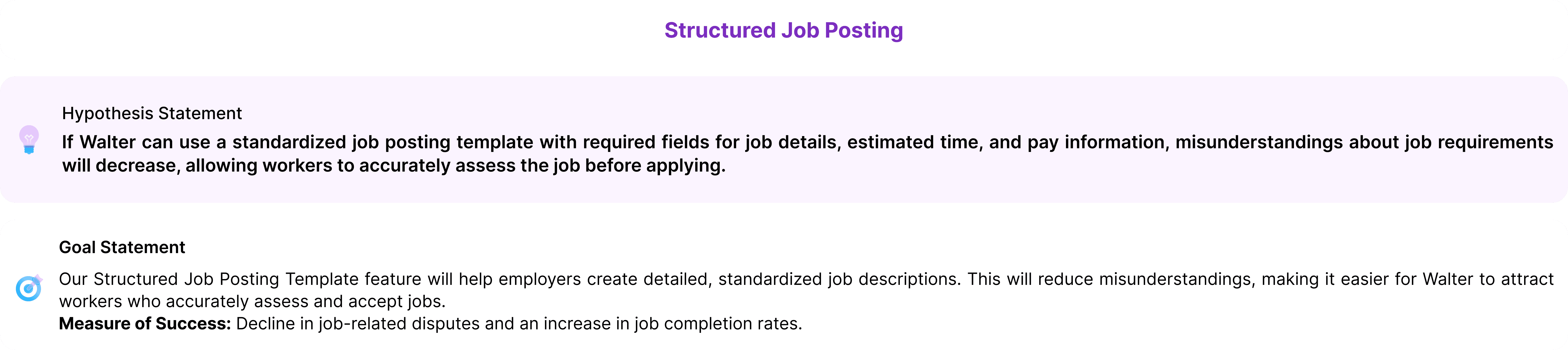
Hypothesis Statements
We translated research insights into testable hypotheses, one for each user group, to anchor our design decisions in validated assumptions.
02 - IDEATION
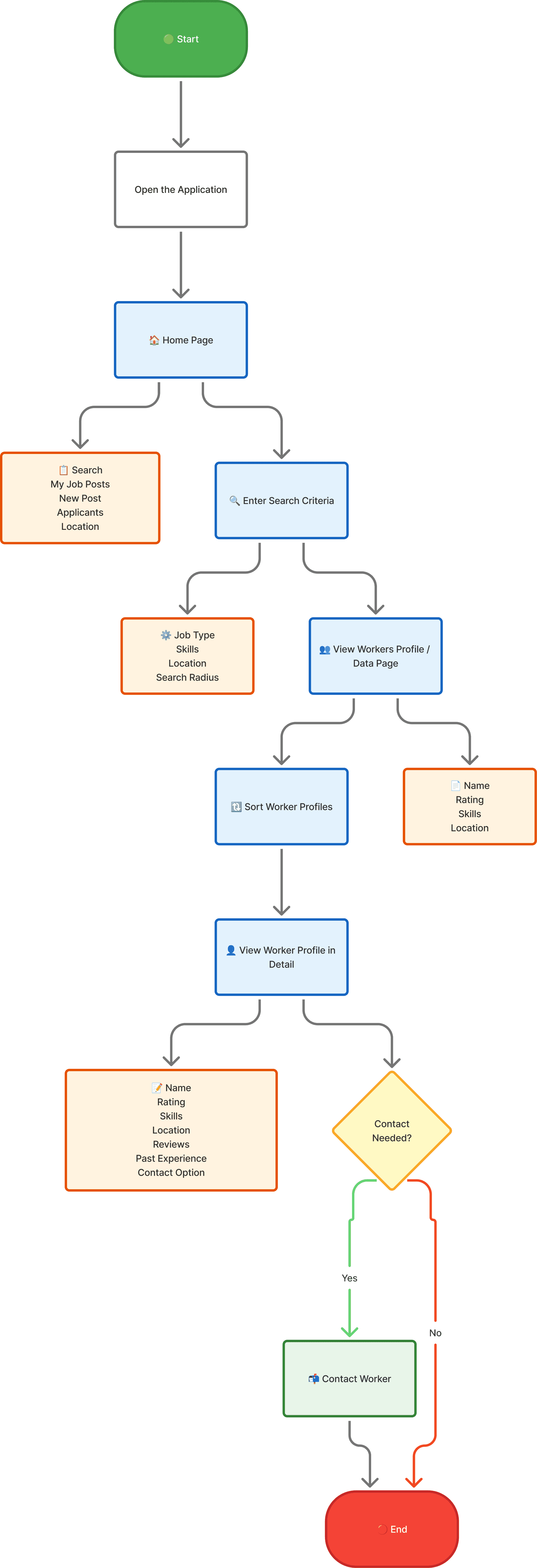
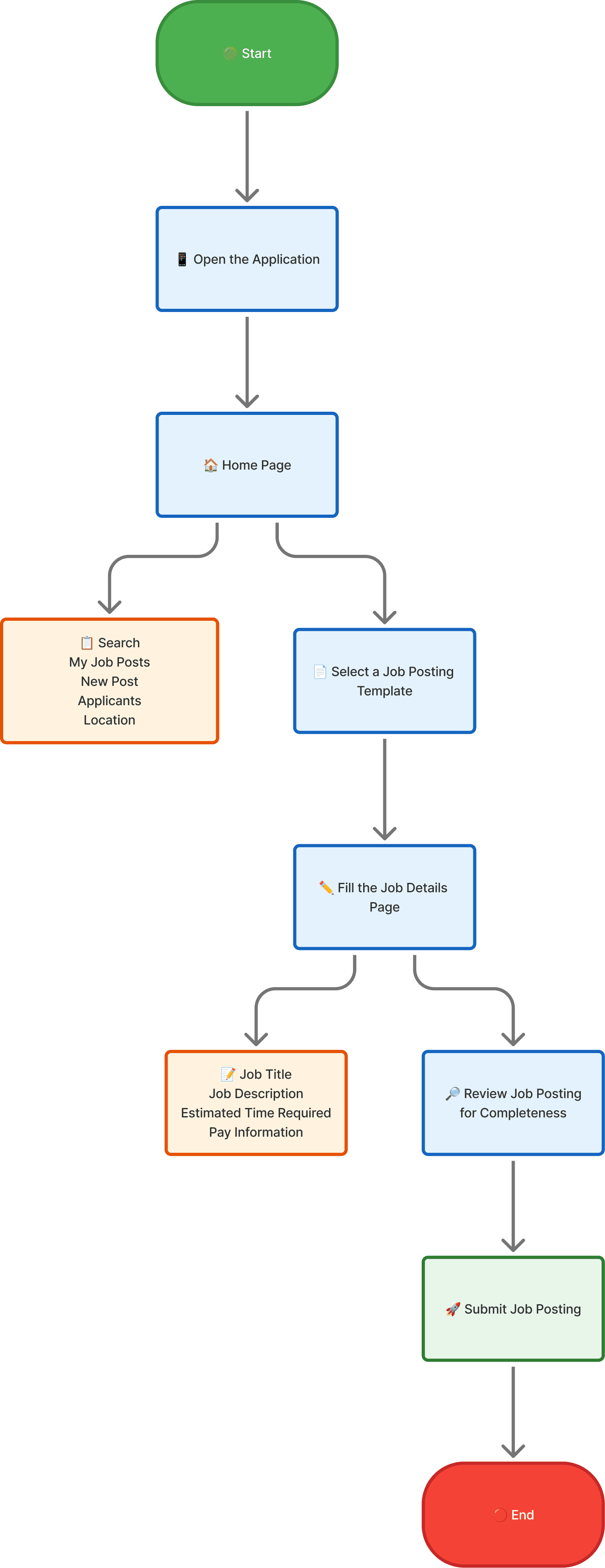
With two users who need opposite things, we had to design a product that didn't compromise either. We mapped user flows for 2 core tasks per group before touching screen, because the architecture had to be right before the UI.
User Flows
Four key task flows, two per user group. These became the skeleton of every design.
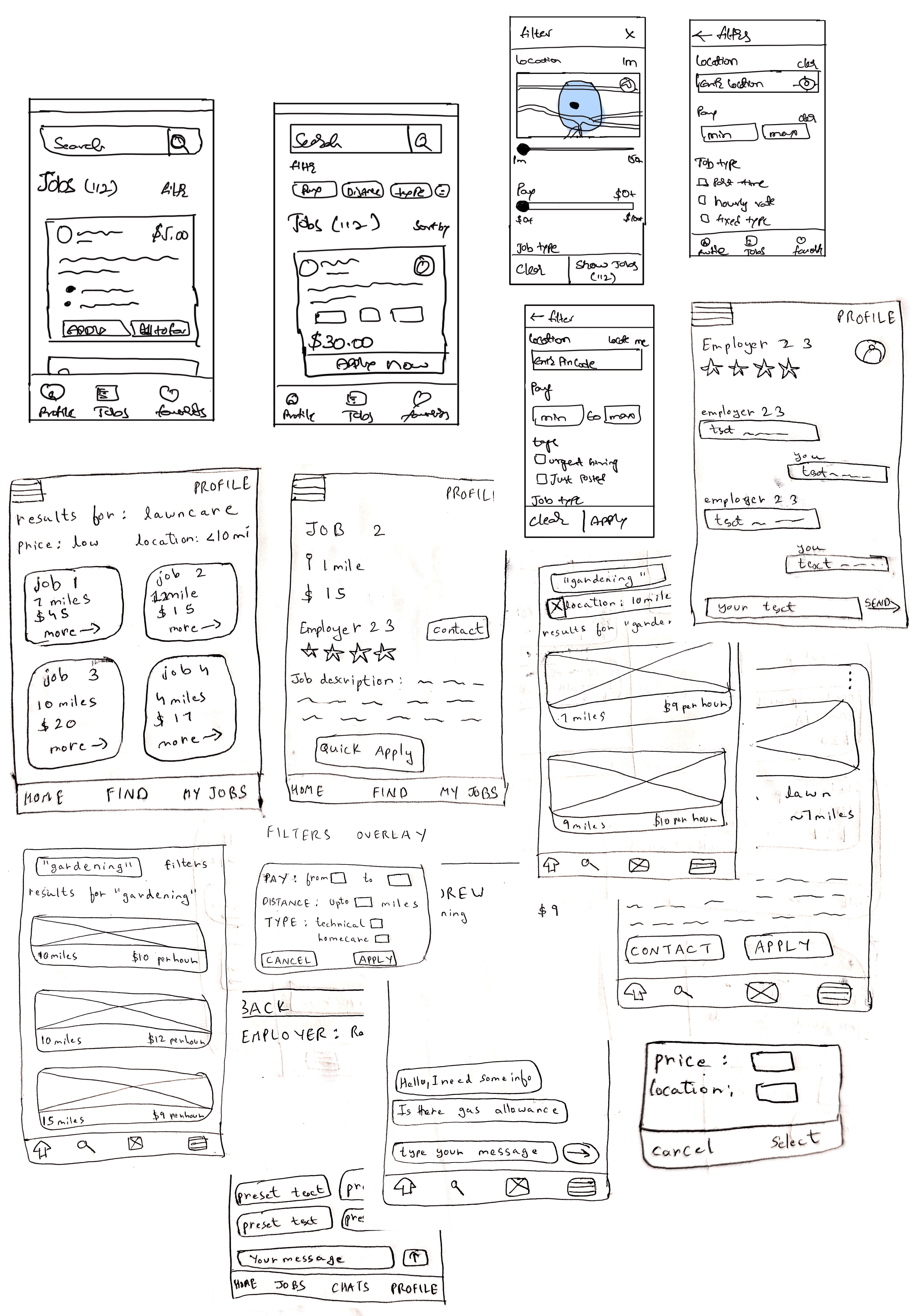
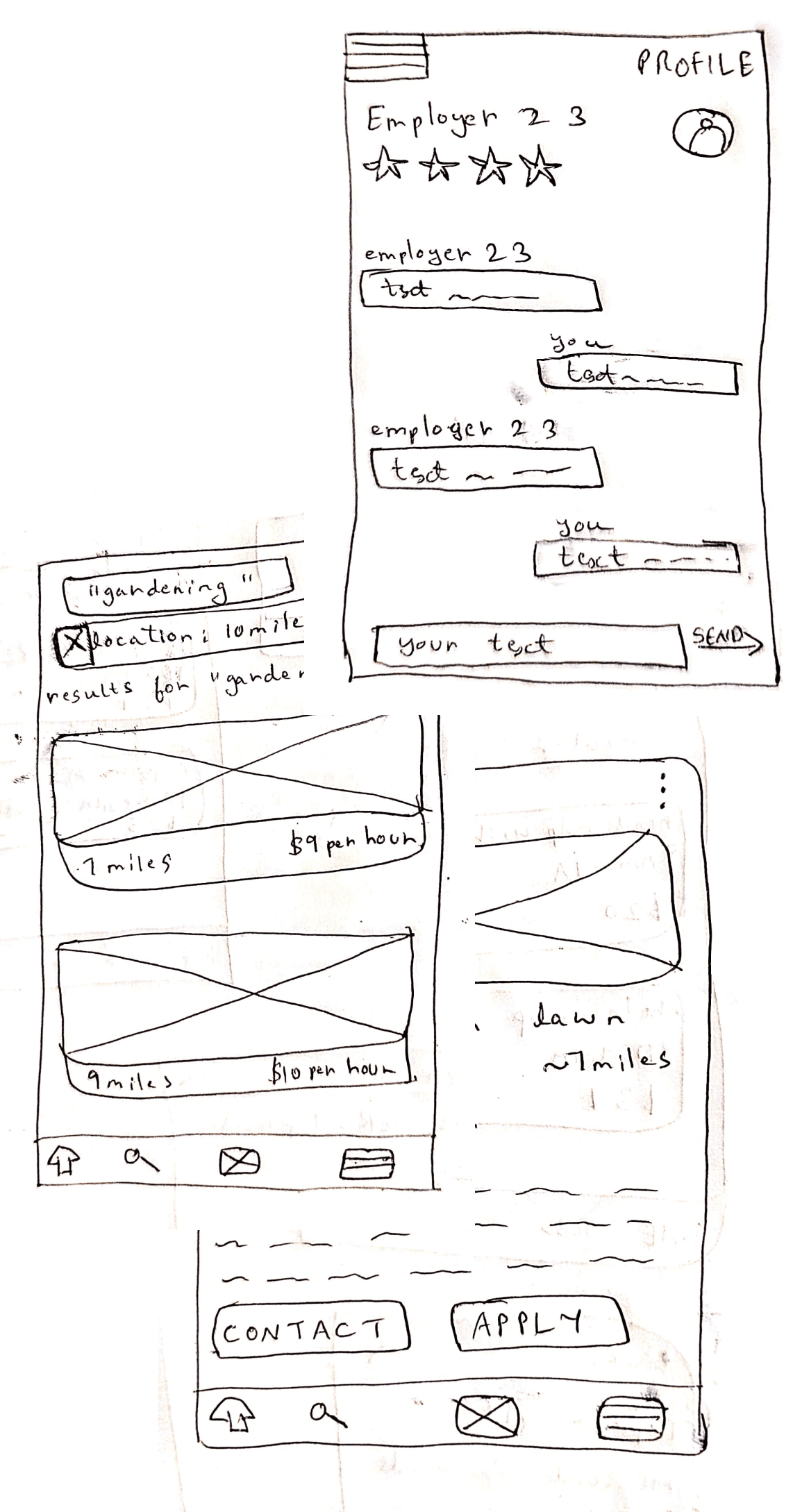
Initial brainstorming on paper: Sketches & Wireframes
Paper-first. I sketched fast to explore multiple directions before committing to any layout.
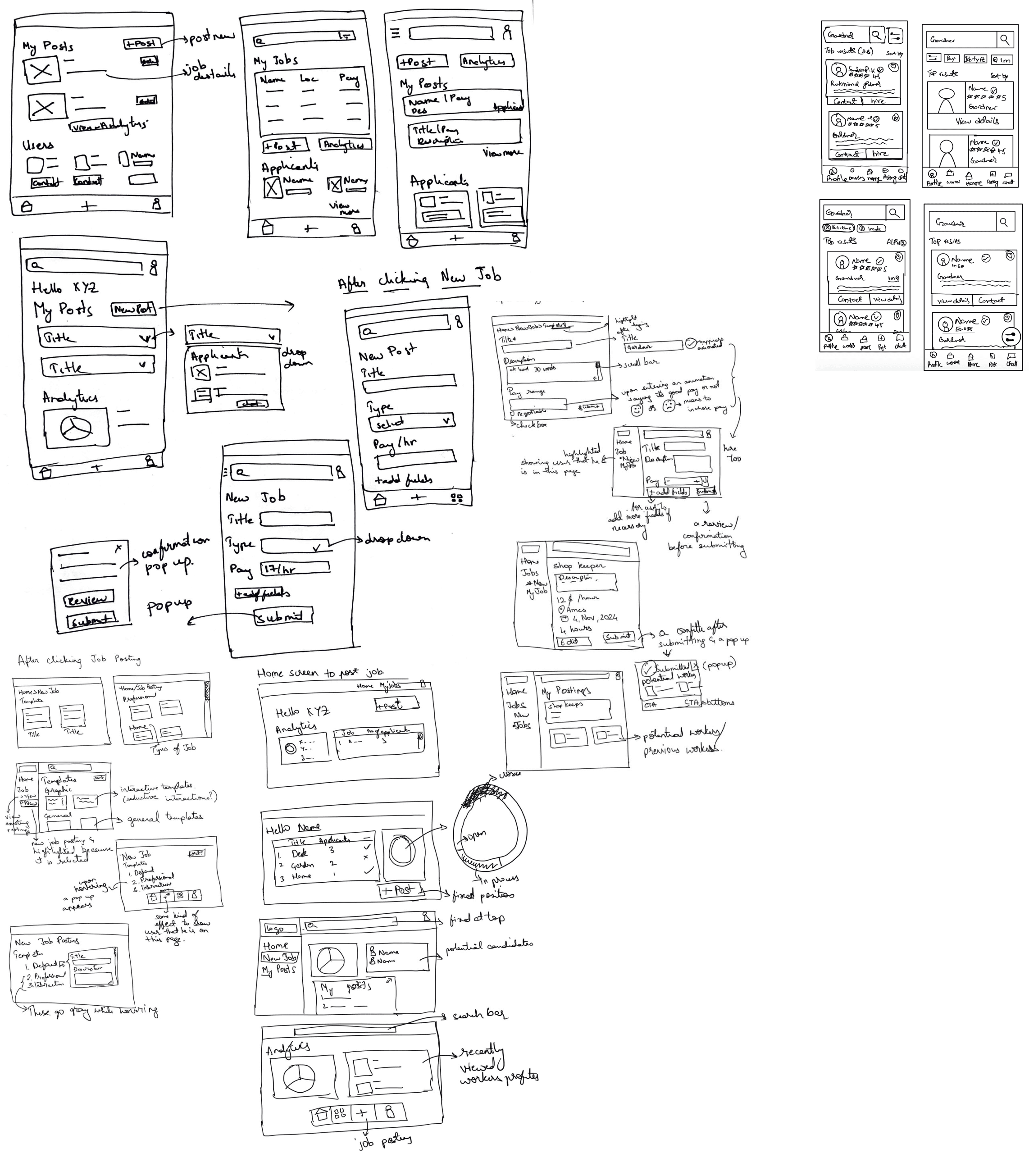
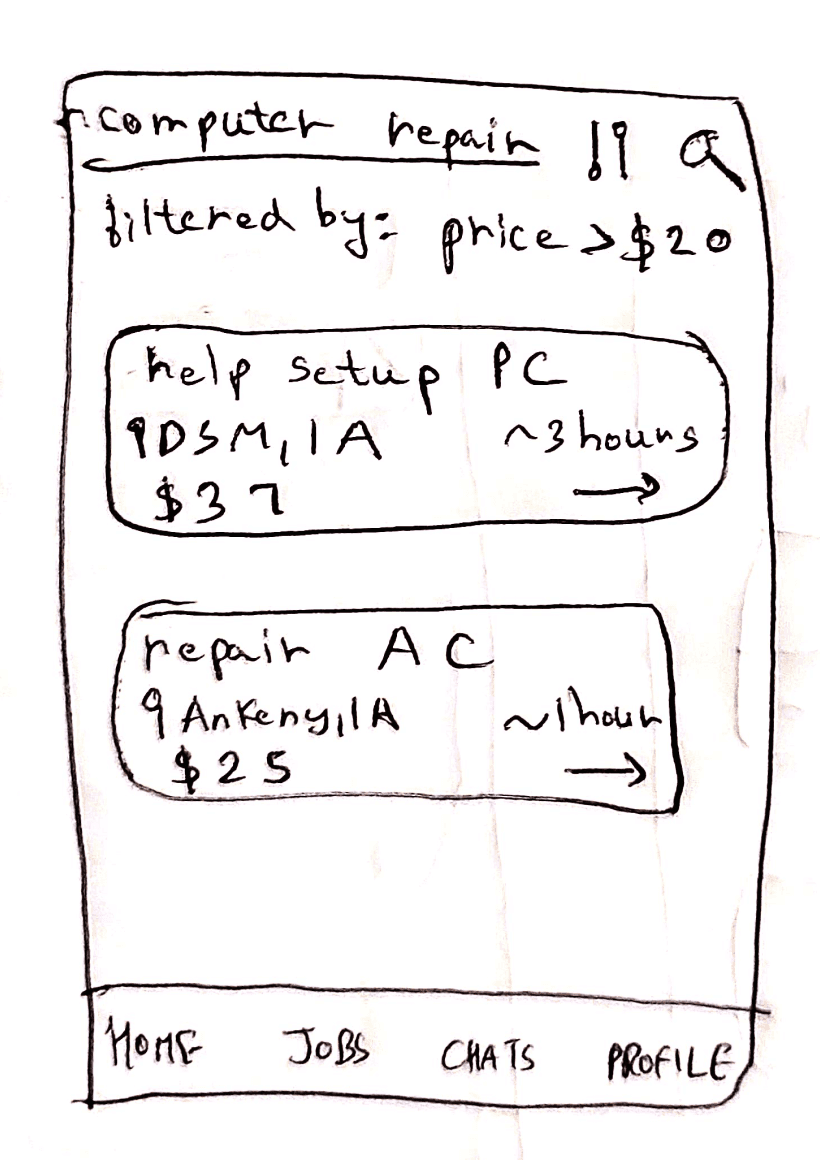
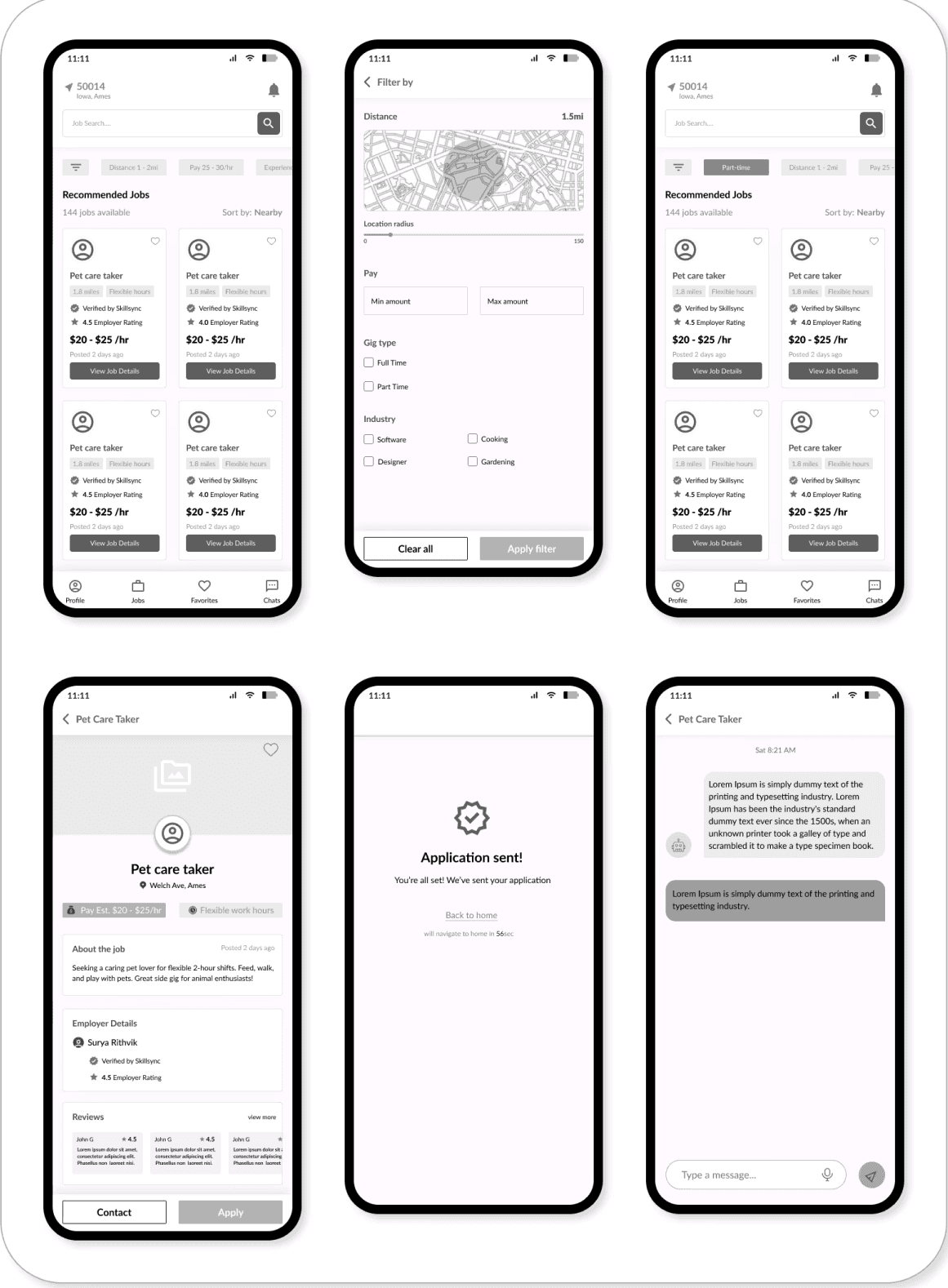
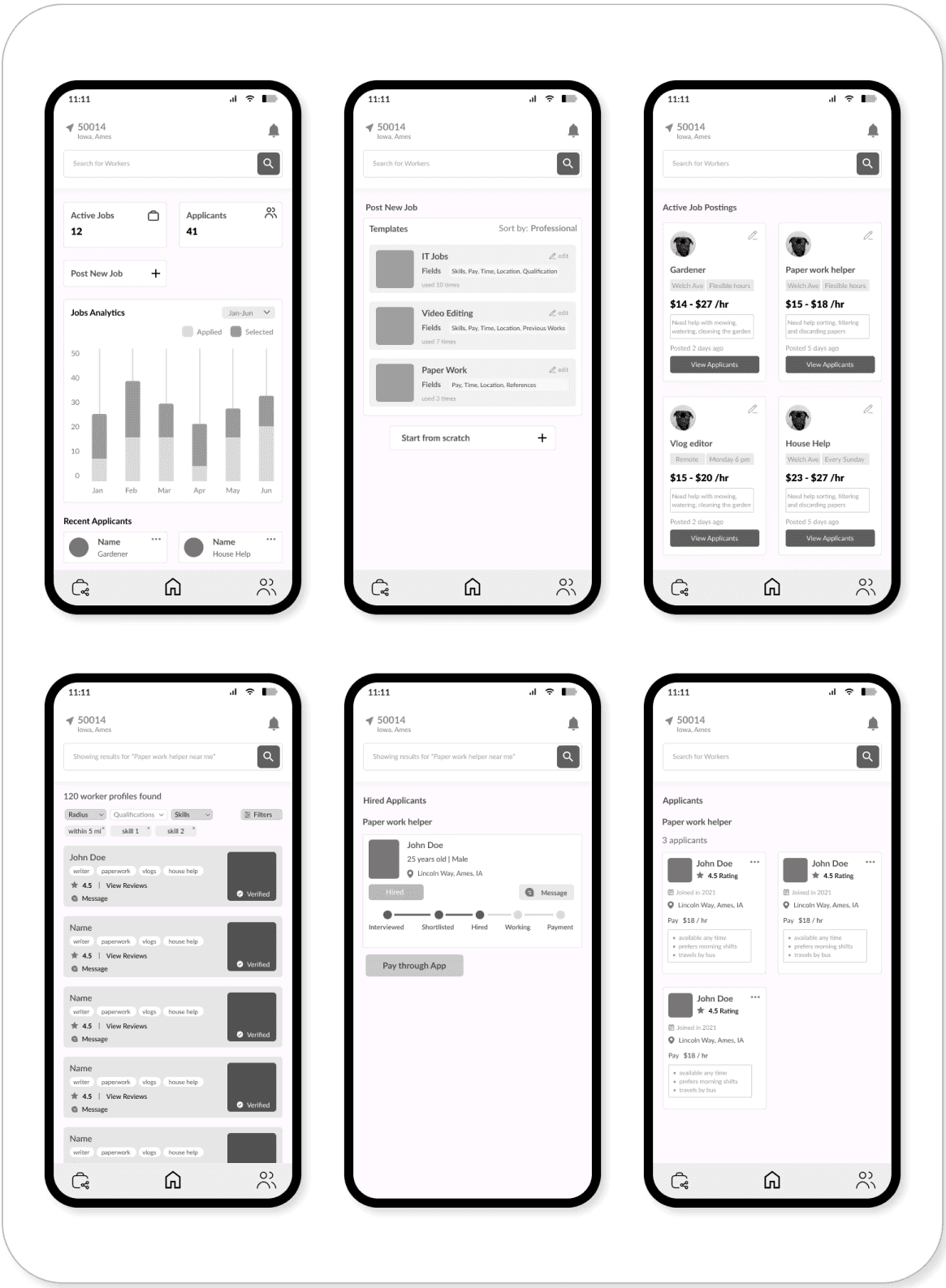
Giving life to the rectangles on the paper: Low-Fidelity Prototype
Before any visual design, we built lo-fi screens to test the core flows and catch structural issues early.
03 Testing Round 1
We tested the lo-fi prototype with real users before investing time in visual design. Two critical issues surfaced — both structural, not cosmetic. This is why we test early.
01
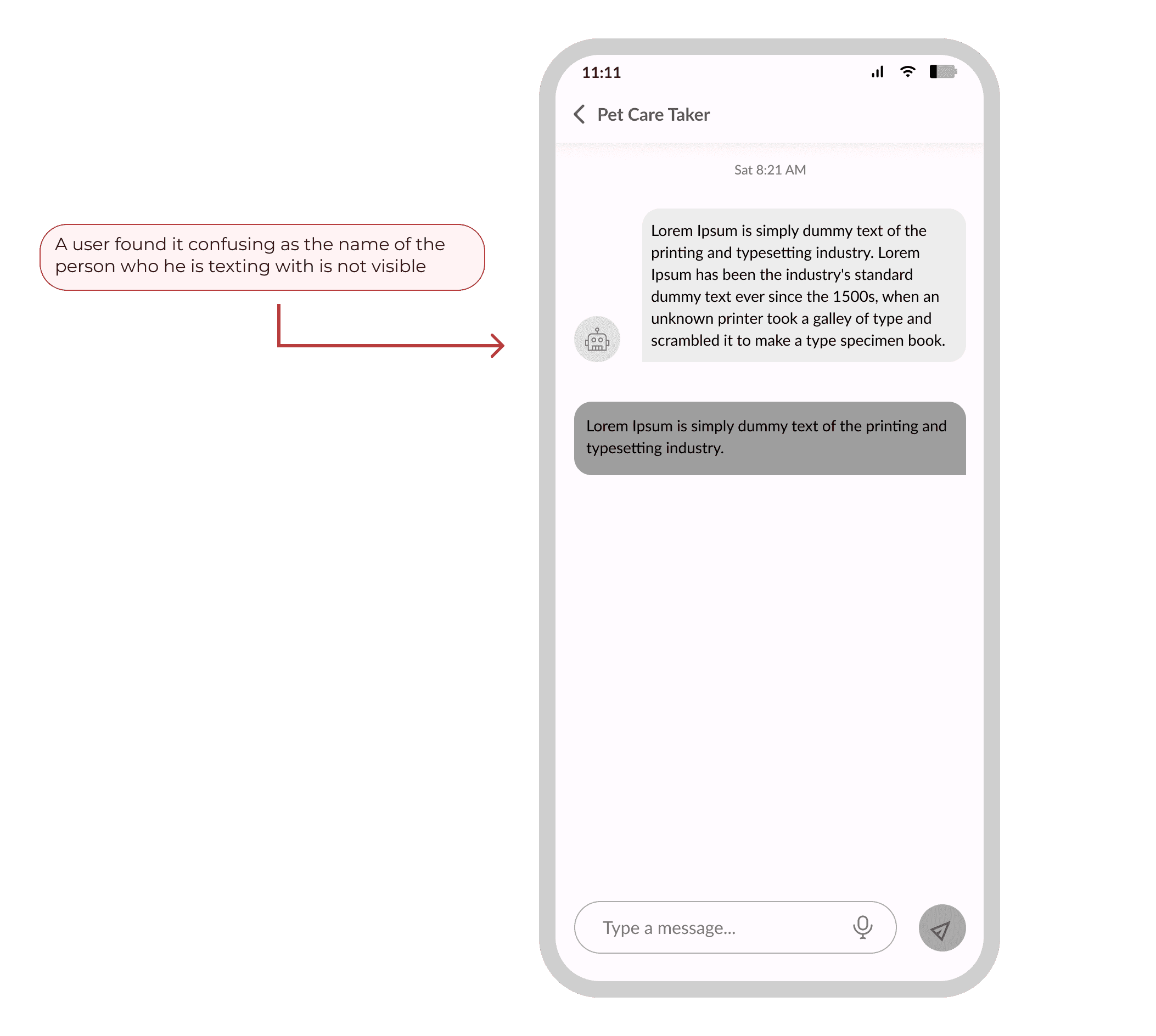
Lack of Identification
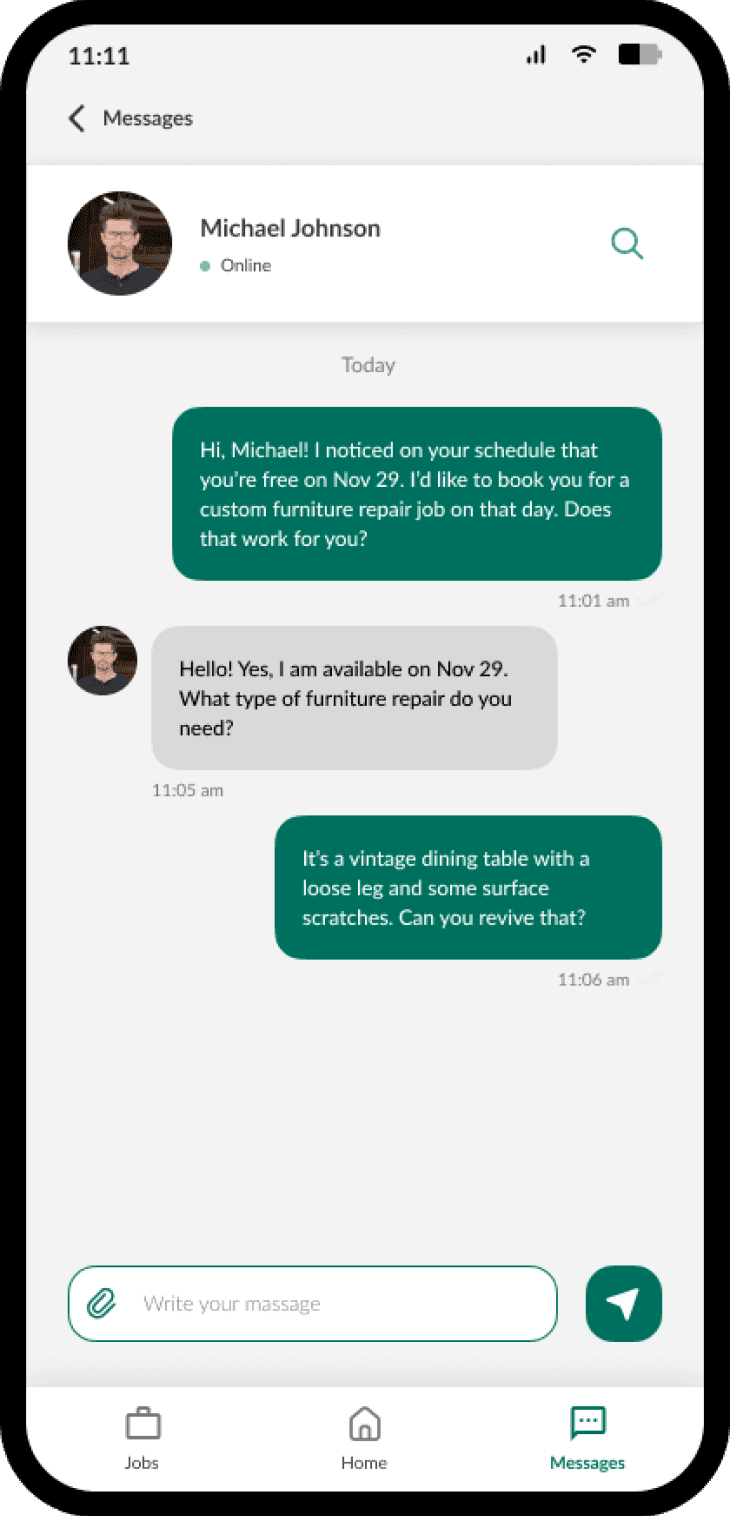
Users had to scroll back to confirm who they were talking to, causing confusion and drop-off in the chat flow.
✓ Fix: Added persistent recipient name + avatar header to all message threads
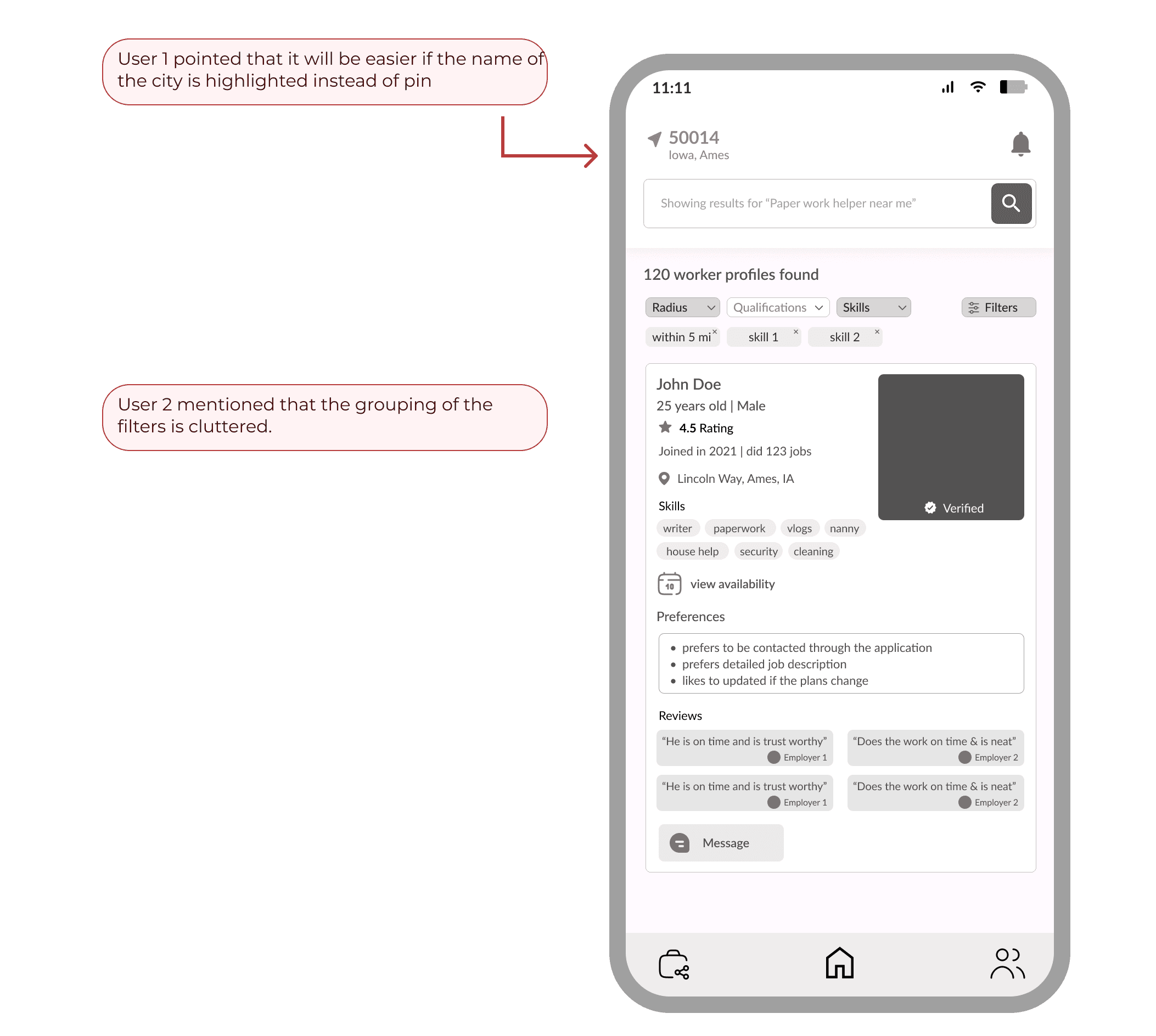
02
Location & filter system was confusing
Users couldn't determine their current search radius, and filters were presented without clear hierarchy. The map-based interaction felt disconnected from the list view.
✓ Fix: Added visible radius indicator and redesigned filter panel with progressive disclosure
04 - DESIGN LANGUAGE
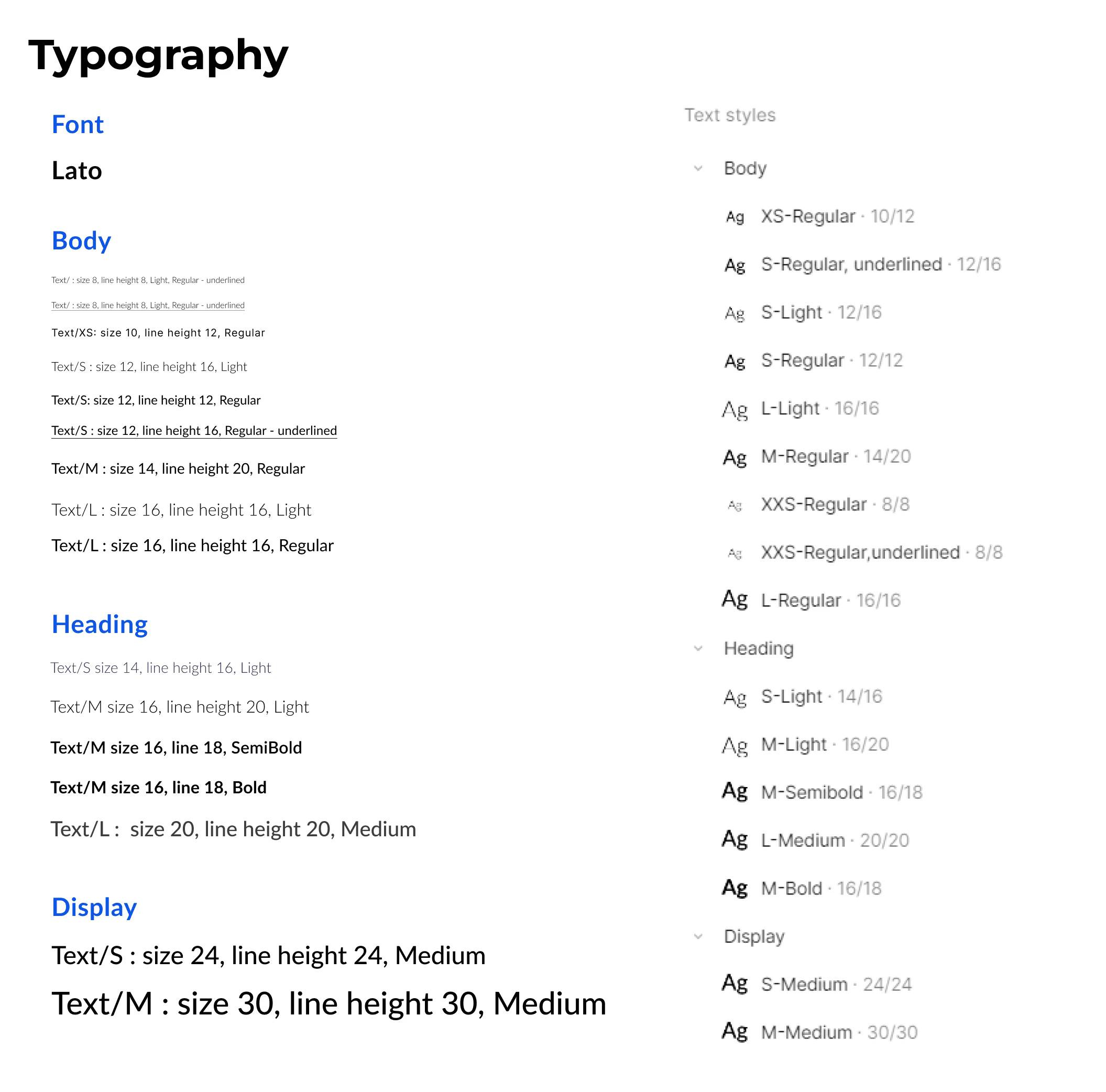
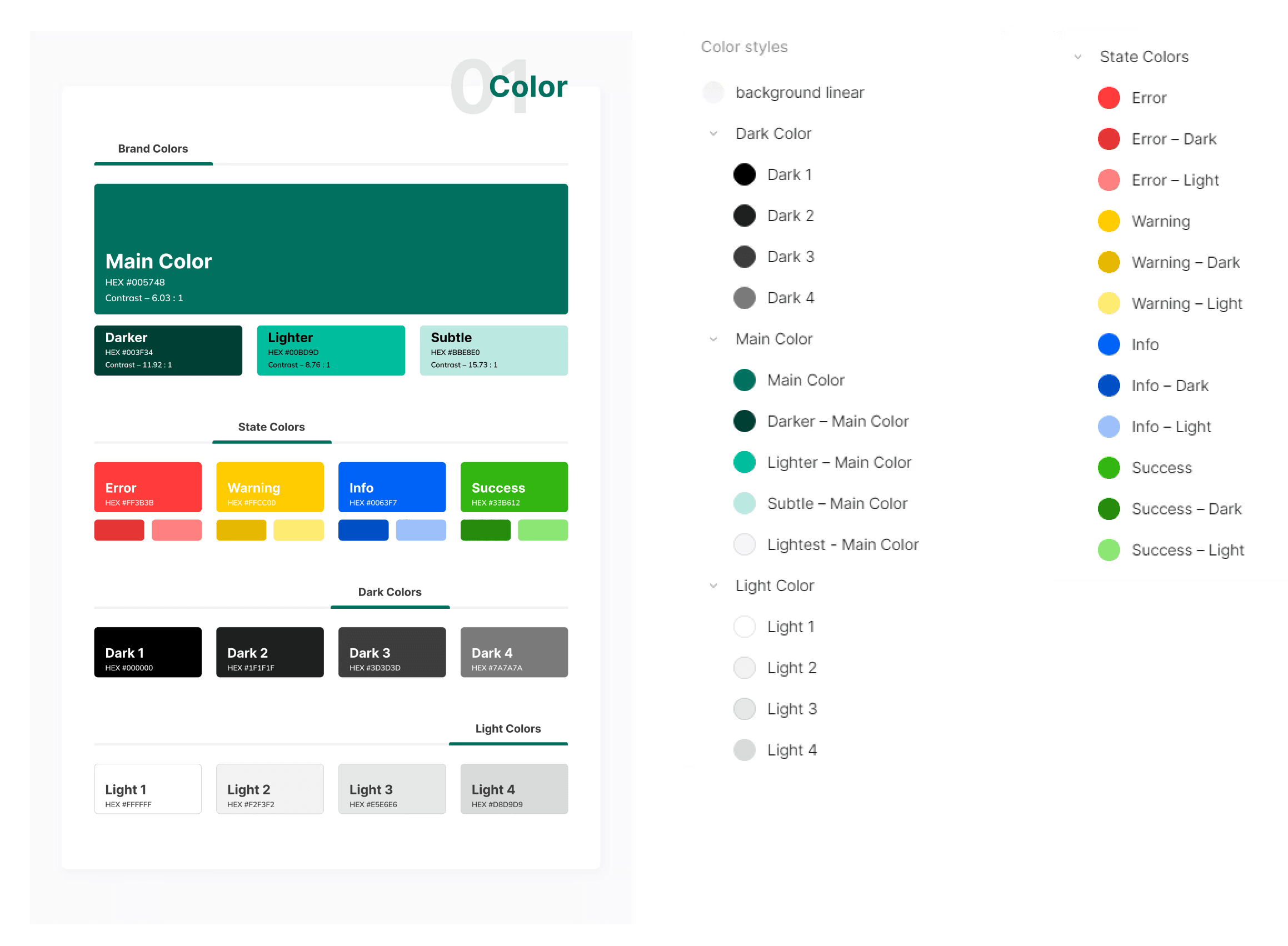
A consistent design language was essential for a dual-sided platform. We established tokens for color, typography, and spacing then built reusable components that could flex across both user flows.
Micro-Interactions
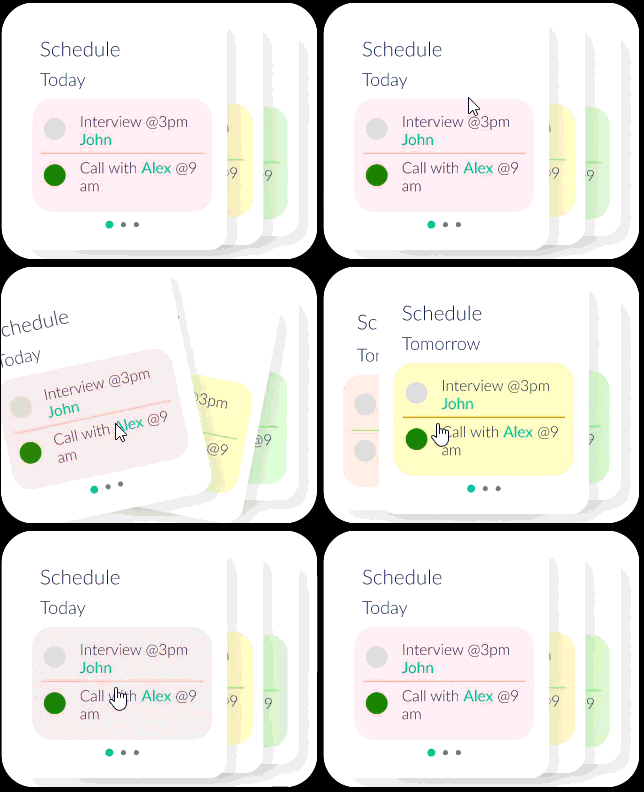
Small moments of delight that build confidence and communicate system status. These had a measurable impact on our Stimulation scores in UEQ testing.

05 - High Fidelity Designs
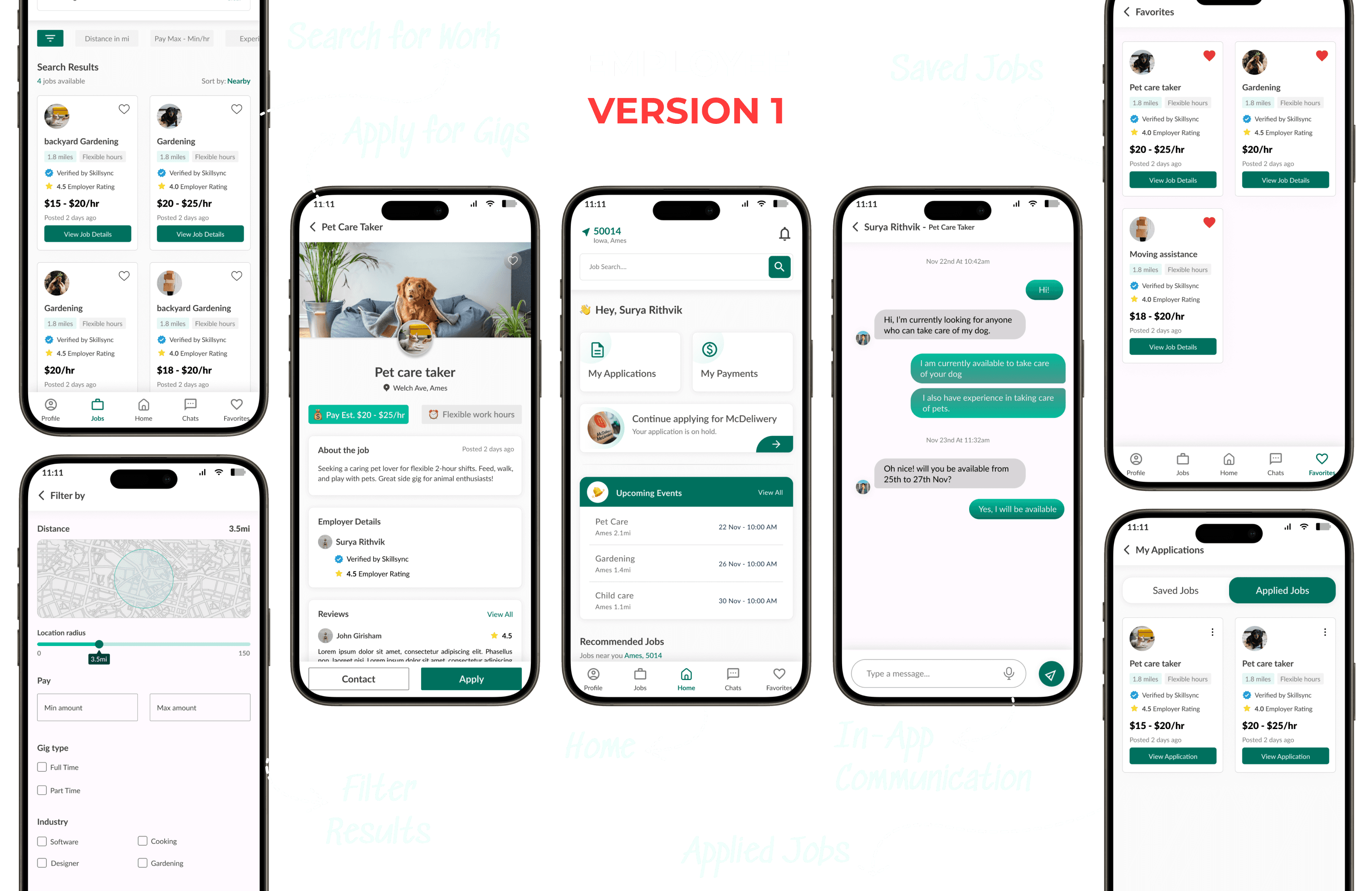
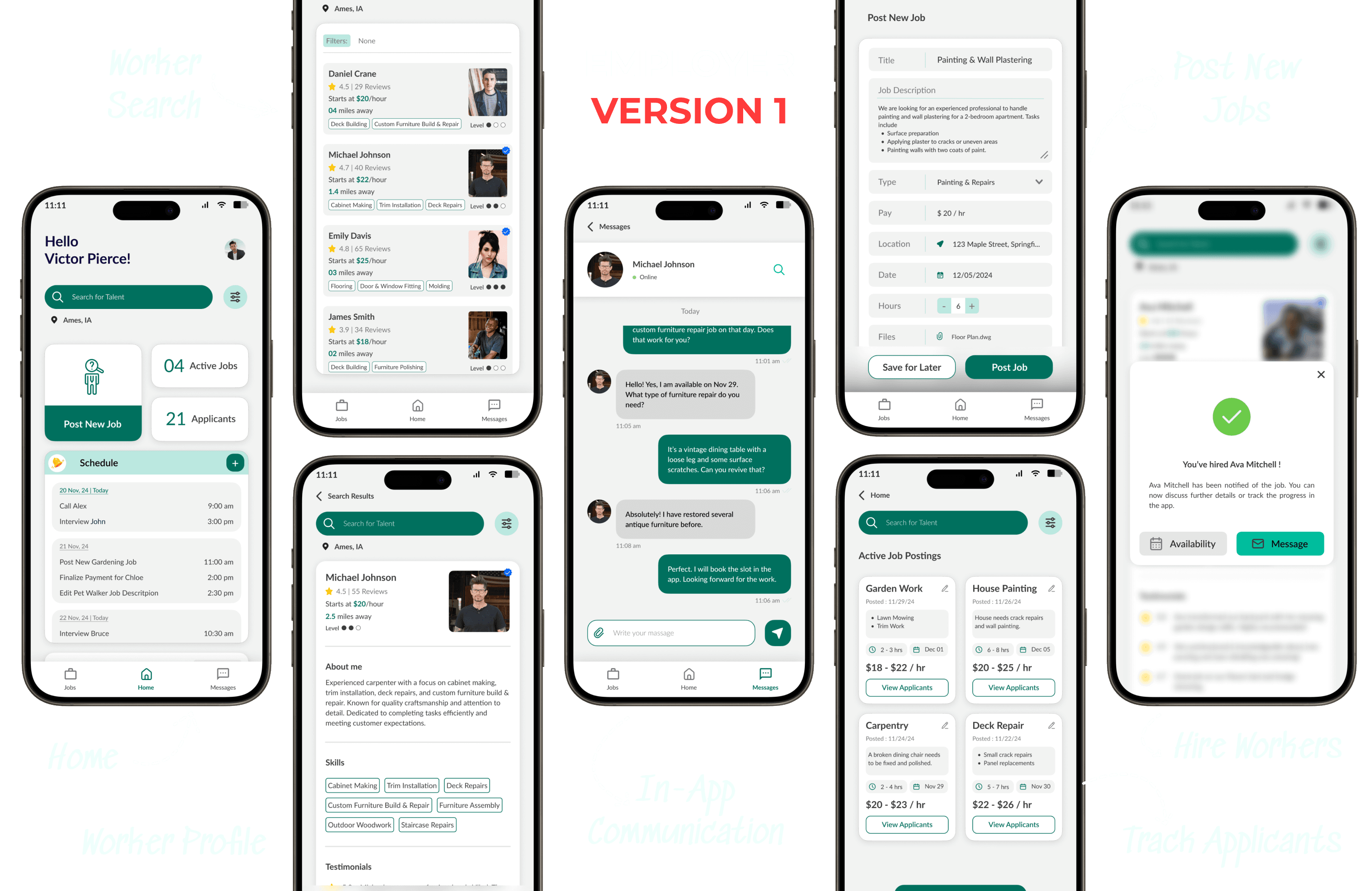
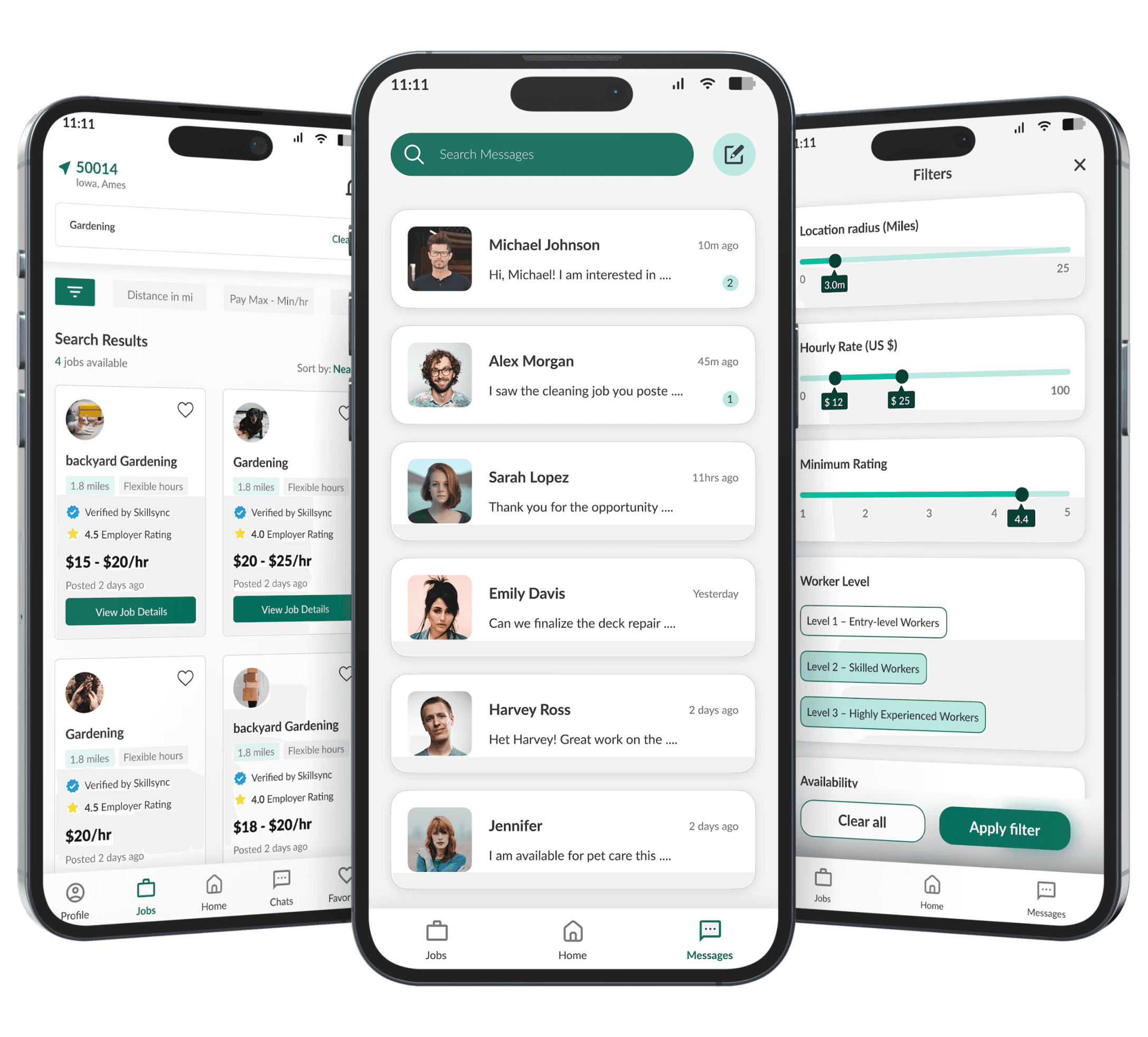
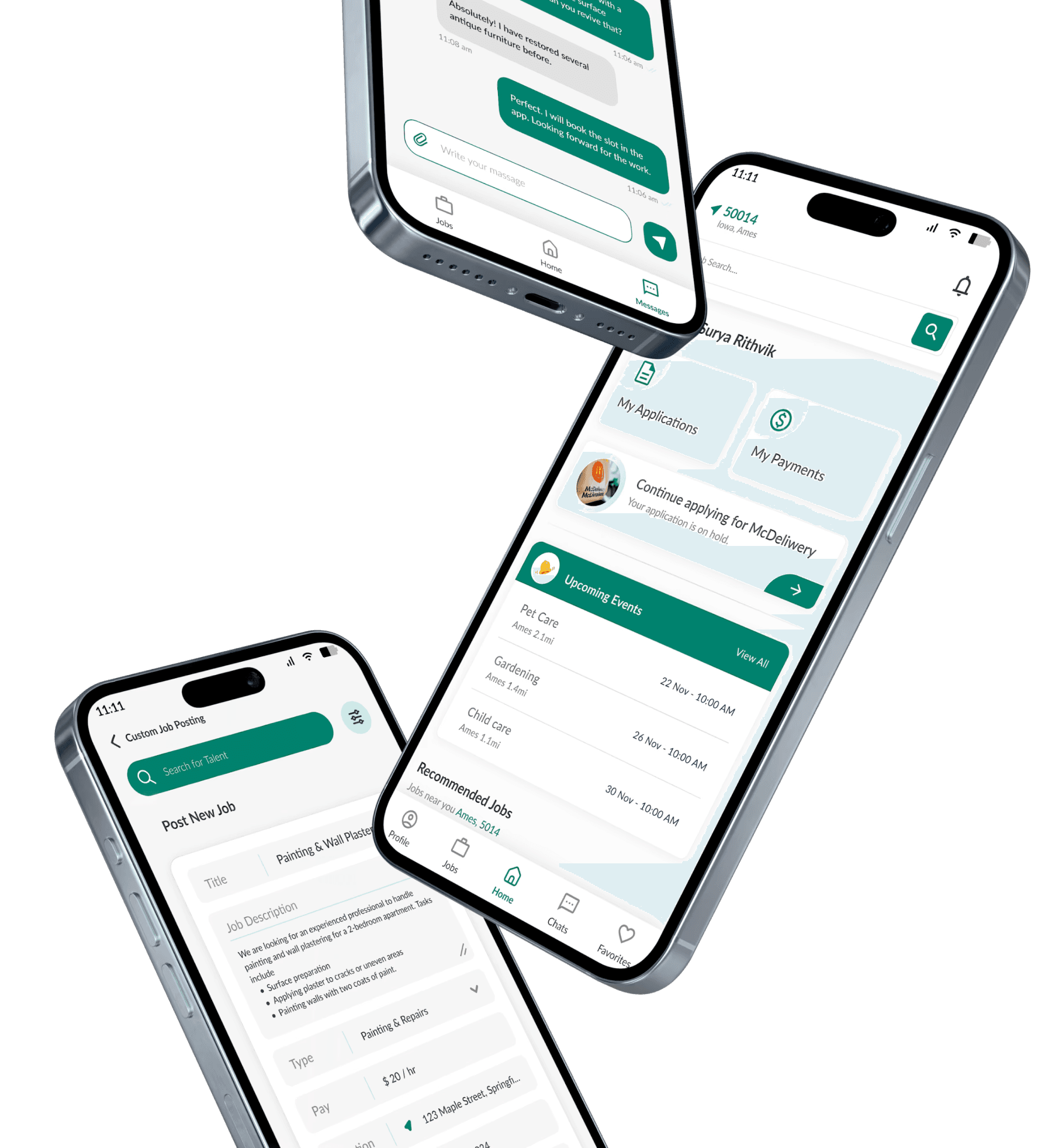
We designed two complete versions, iterating directly from usability feedback. Version 2 wasn't a visual refresh; it was a structural fix driven by specific user failures in round 2 testing.
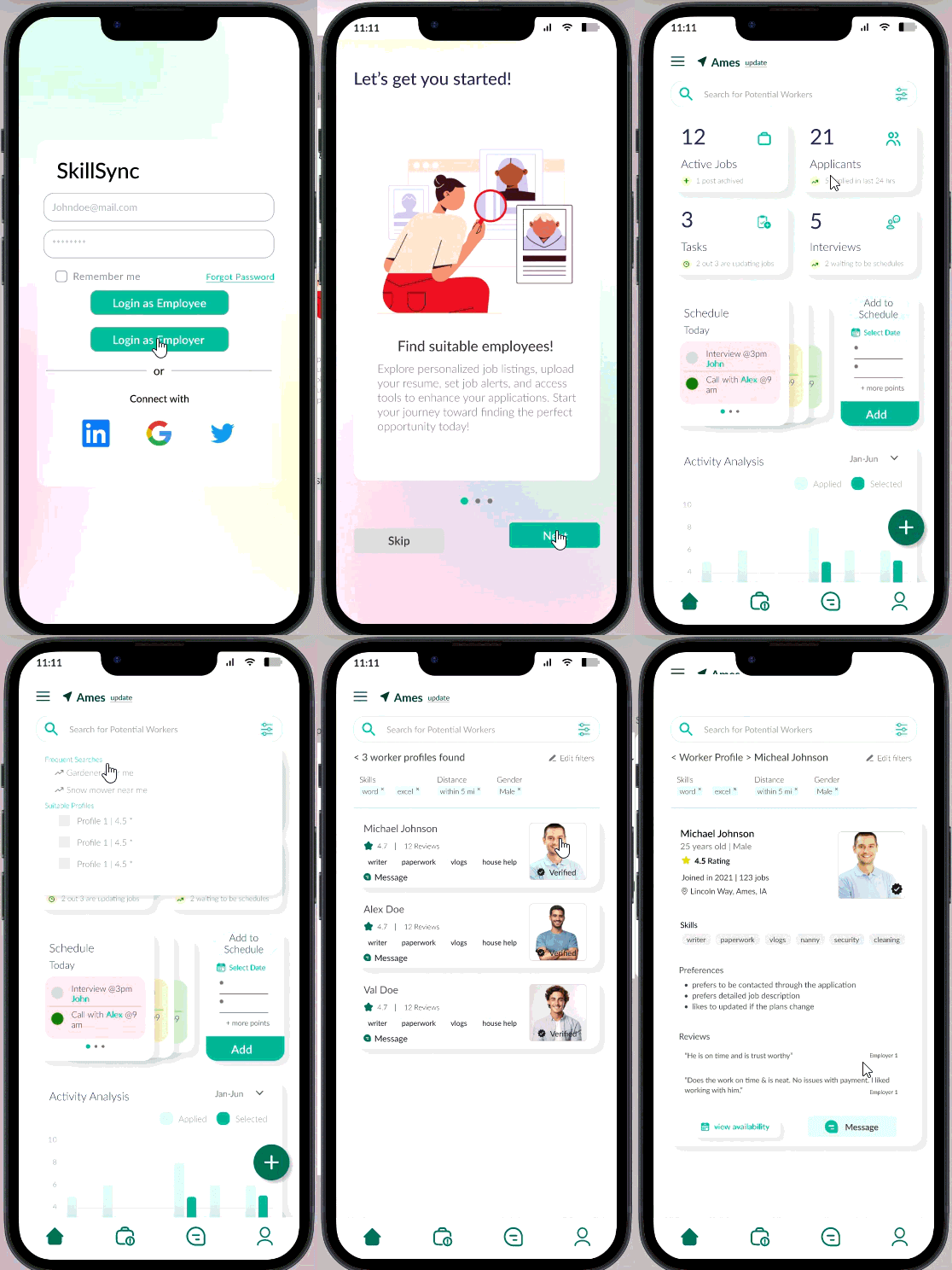
Version 1
06 Testing Round 2
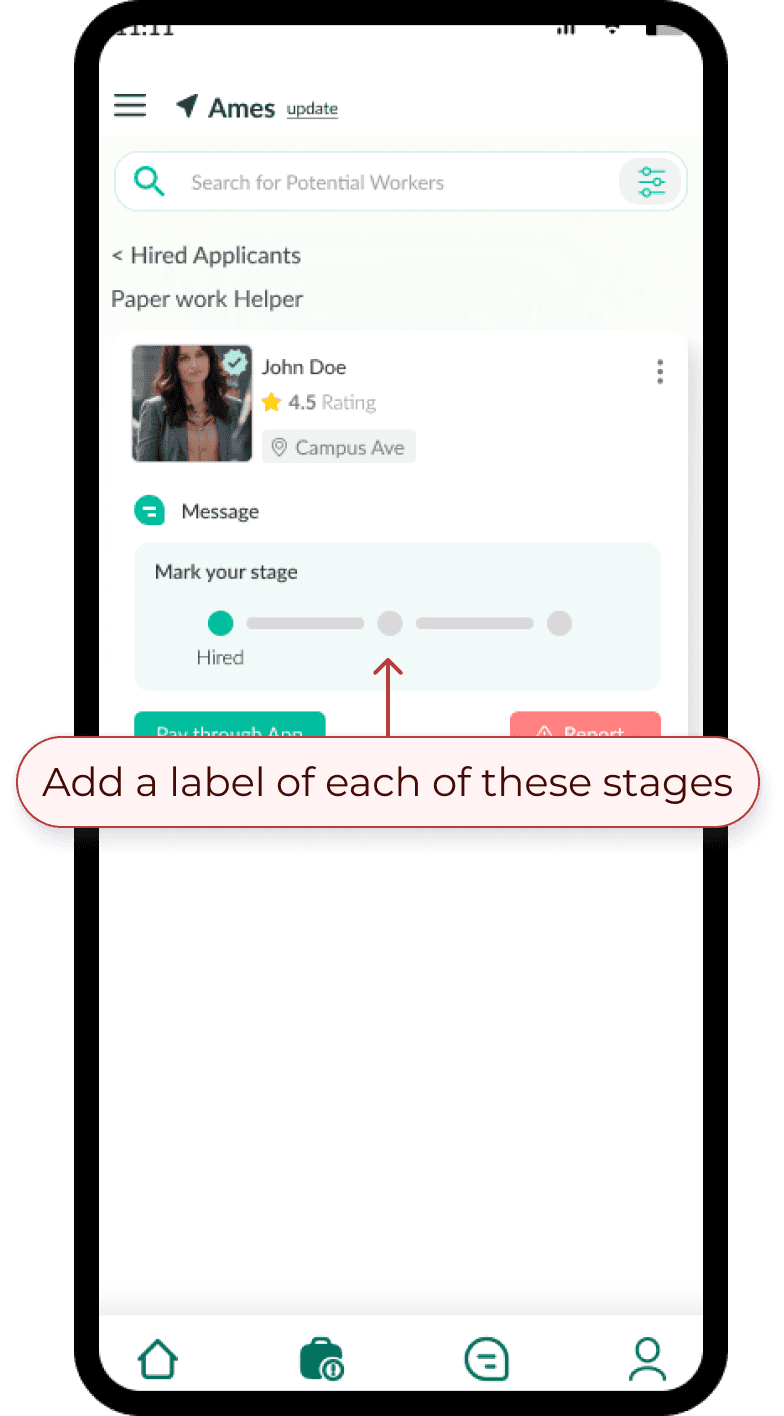
We tested the hi-fi prototype and found issues that only surface at high fidelity where users form real expectations about how things should work.
01
02

07 - High Fidelity Designs
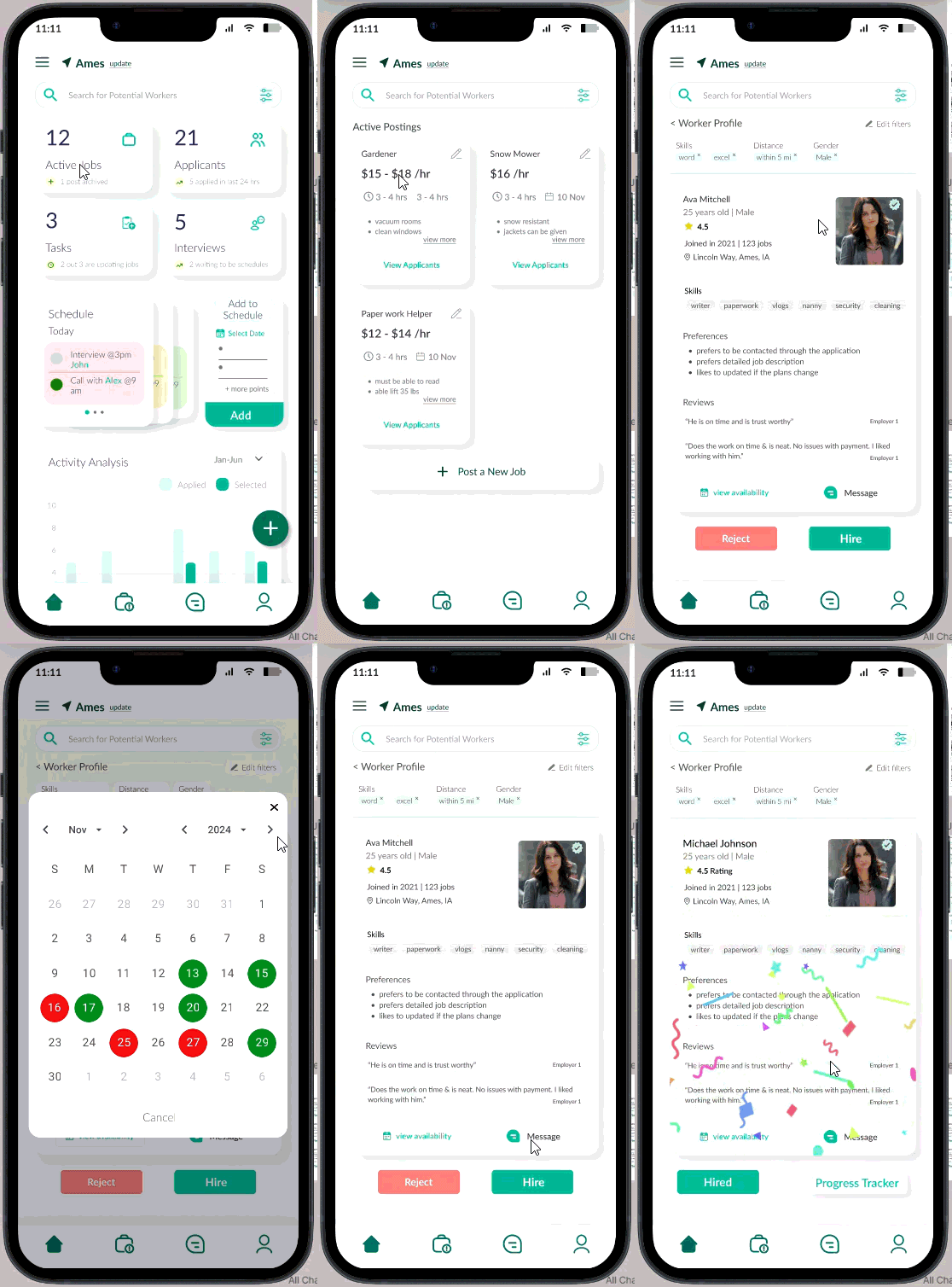
Version 2
Final validated design
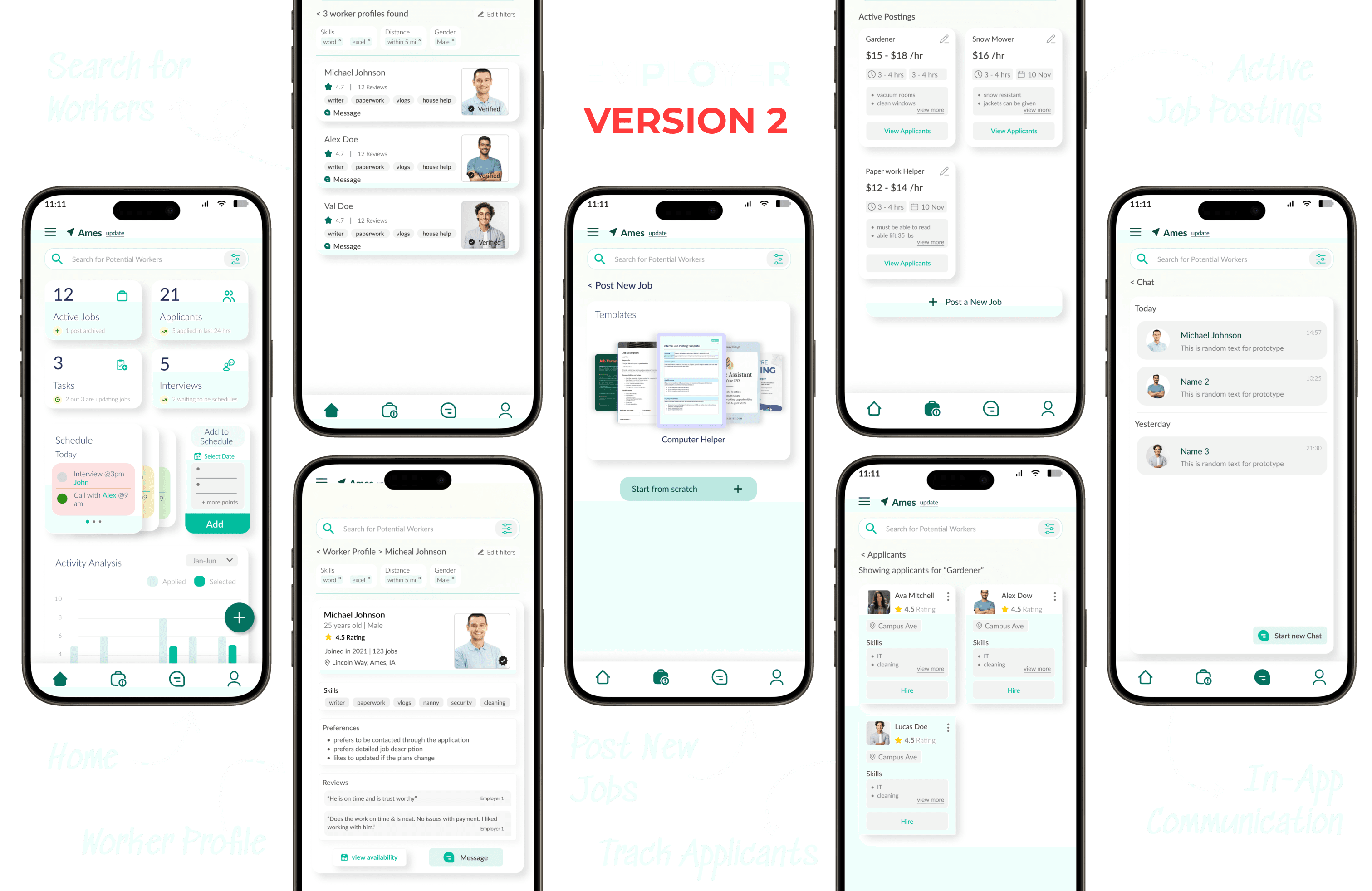
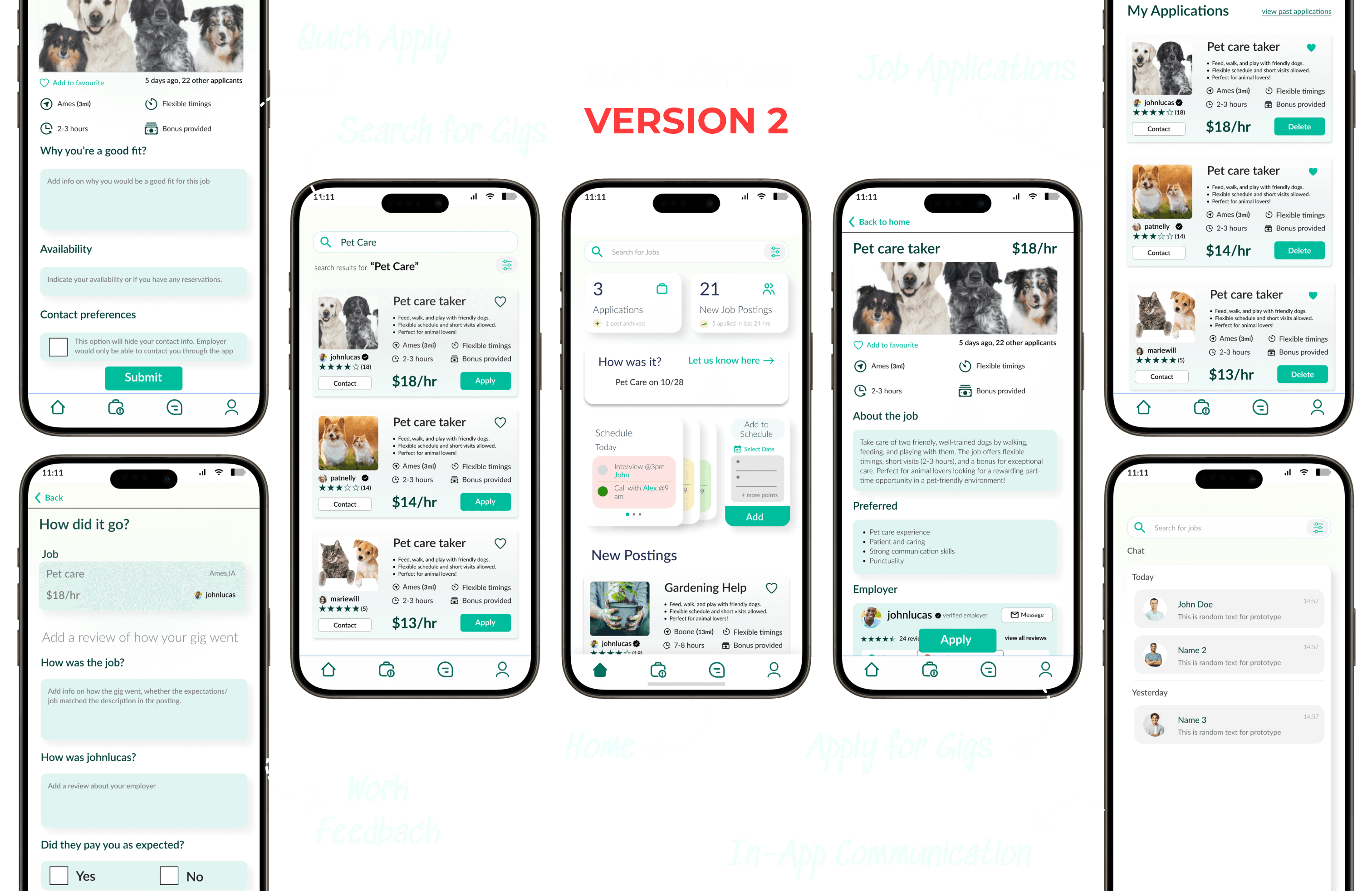
Search for candidates within certain radius and contact them
Choose among suitable candidates and choose
UEQ _ EMPLOYEES
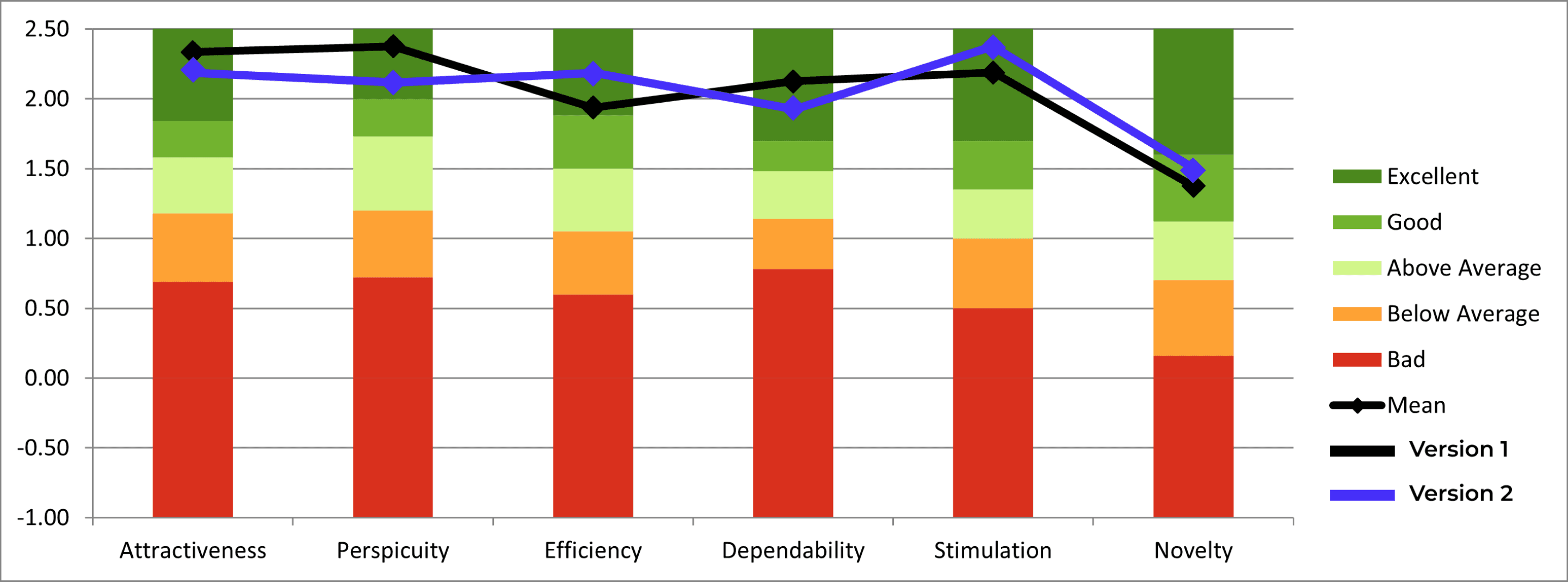
→ Stimulation was higher in V2 — likely driven by added micro-interactions
→ Attractiveness and Novelty stayed stable between versions (same color system)
UEQ _ EMPLOYERS
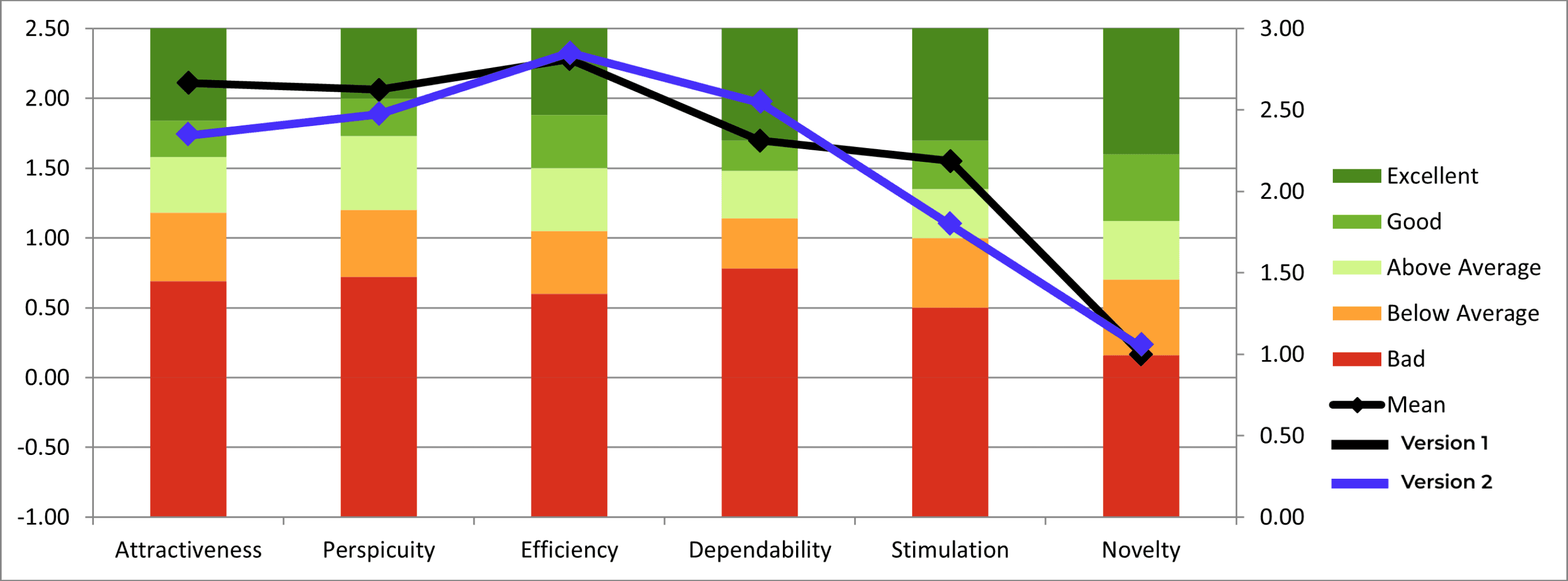
→ Efficiency scores were consistent — the core flow worked well in both versions
→ Low Novelty signals a future design direction: more differentiated visual language
SEQ _ TASK EASE (EMPLOYEE)
Post a Job scored lowest (5.8/7).
Texting scored highest.
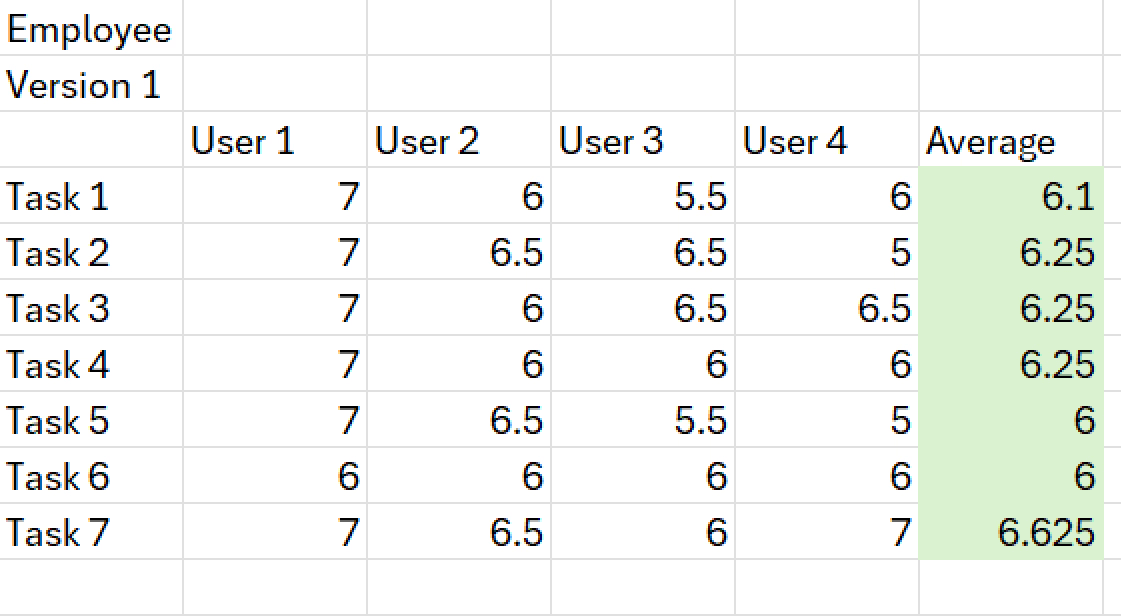
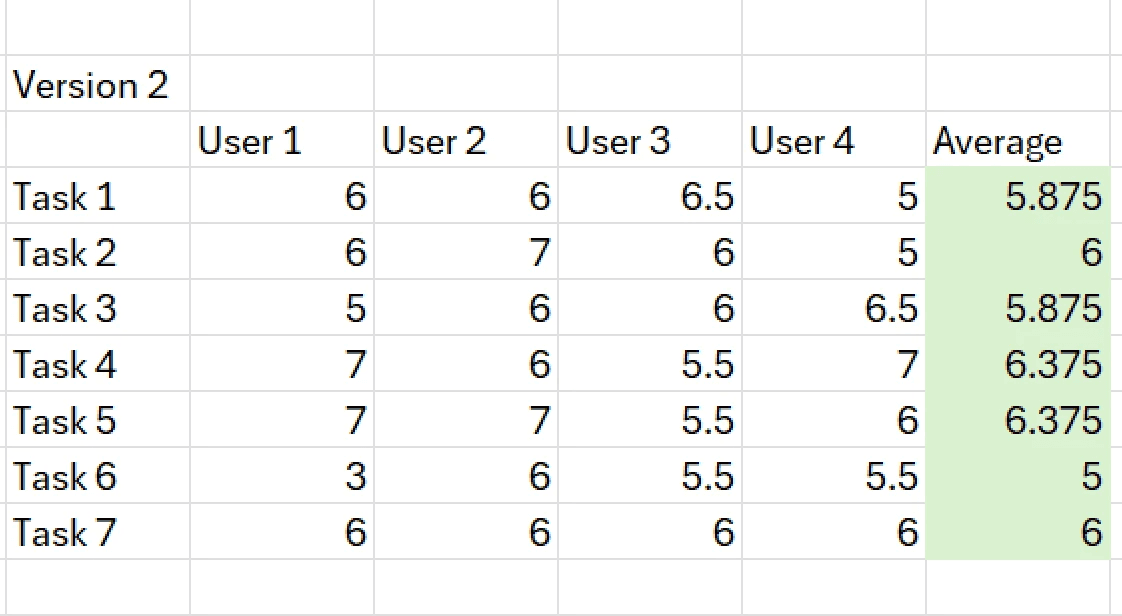
→ "Post a New Job" — 5.6/7 in V2, down from V1. Entry point needs redesign.
→ "Text an employee" — consistent across both; messaging UX is solid
SEQ _ TASK EASE (EMPLOYER)
Application continuation showed the
biggest gains.
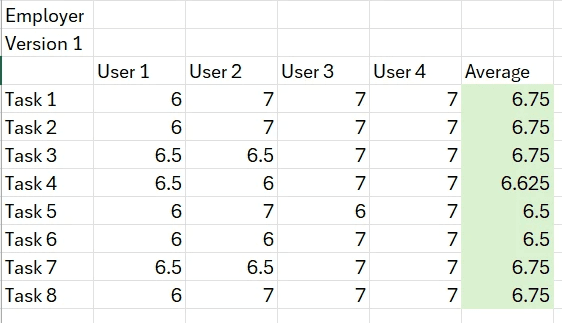
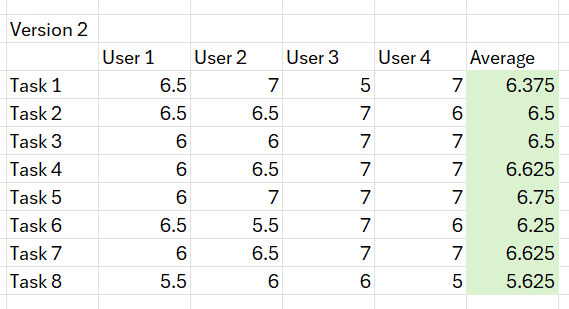
→ Login and continuing an application saw noticeable rating jumps in V2
→ Confirms: users prefer simple features that are easy to discover
09 - Next Steps
If given more time, here's where I'd focus
01
Redesign the "Post a New Job" flow, it scored the lowest of all tasks. The entry point is buried.
02
Run a longitudinal study to understand if trust and proximity perceptions shift with continued use.
03
Explore a community-vouching feature, the trust theme surfaced in every employer interview but never made it into scope.